


This is a 9-part series outlining the way I worked for #SheBuilds.
If you’re curious where I started, check out Part 1: Show Me Your Prompts

My Prompts Live in GitHub
So far I’ve talked about memory, drawing the site, and then the words to describe the site. Today we’ll talk about where those words live and how they are used. When I talked about memory, I showed a screenshot of a GitHub issue. Today we’re going to go back and talk about, what’s GitHub.
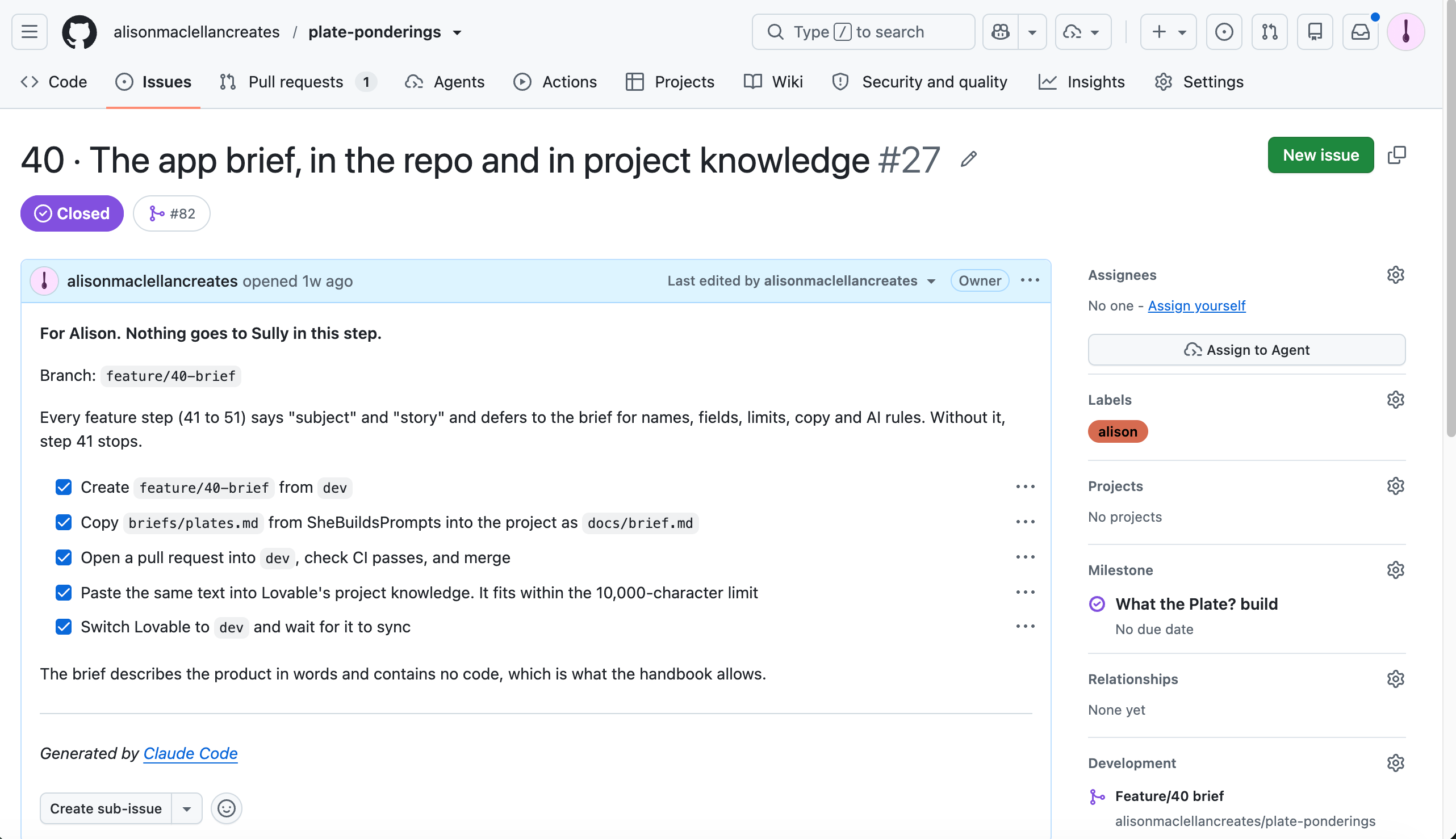
GitHub is just one of many products that manage source code. When I talked about GitHub and Lovable previously, I said, I really should do a GitHub basics video. I probably still should.
You can save your code in GitHub (called checking it in) so you don’t lose it to a failed hard drive or an accidental deletion. You can have a copy on the GitHub servers so others can contribute to the project. It’s also a way to show off what you can do. You can use GitHub, or any source code management (SCM) tool, in a very basic way or build a very elaborate setup. It’s up to you.
A very basic setup has just a repository. A repository is just the name of a set of files that make up your project. You can think of it as a drawer in a filing cabinet. In a basic setup, your drawer has one folder that contains all your files, and the folder is named main. In GitHub that folder would be a branch. Now you can make copies of that branch to do work that doesn’t change anything in that first folder. That’s branching, and you try to name the new folder something that makes it obvious what you’re doing in that branch. For this project, each new branch had the step name and small detail, so I could clearly map the work in the branch to a GitHub issue.
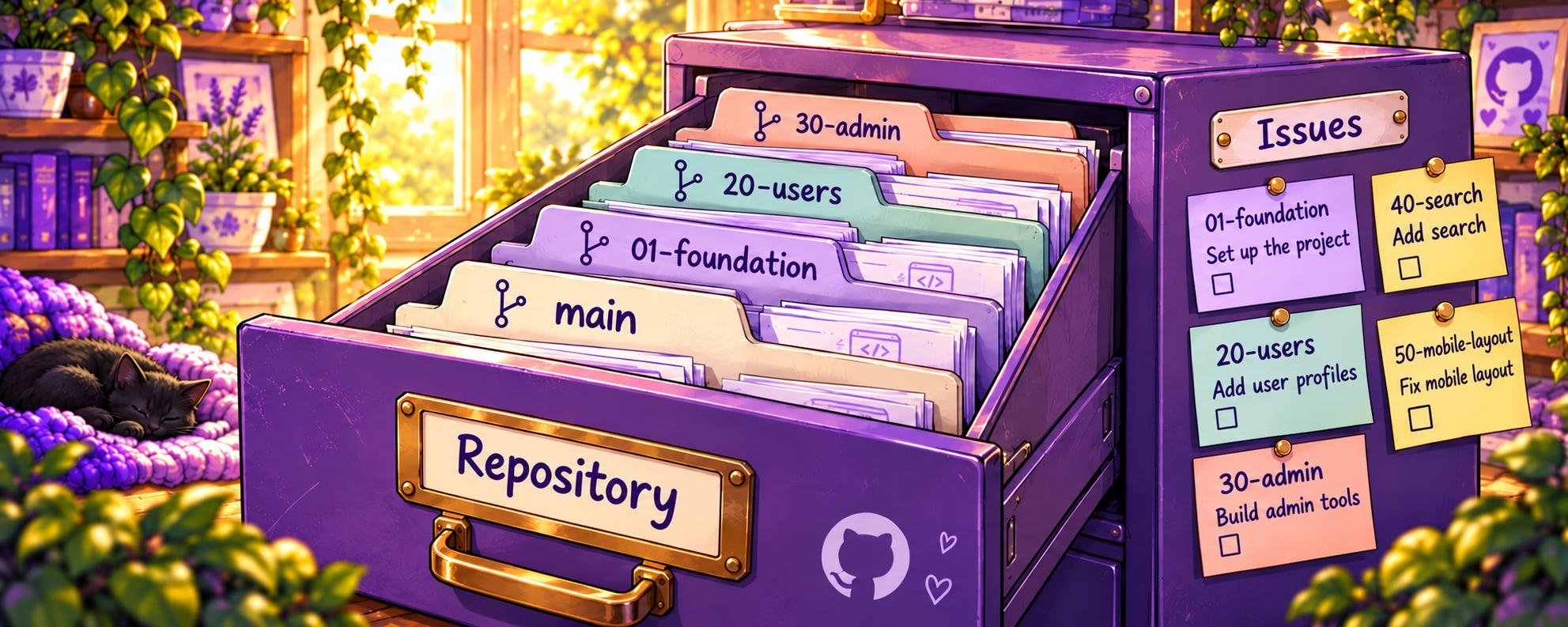
Hold on Alison, this is the second time you’ve mentioned a GitHub issue. What is it? I think of issues as my to-do list. The things I want to do in my project. I try to keep it to only one thing per issue. I find this is especially important when using AI to do the work. Too many instructions in one issue, things can get muddy.
For each project I have a repository and accompanying issues. But I also have a dedicated repo full of standard issues that I can bring into any new project. These are things I want to do in every project I create. Things like setting up PostHog for telemetry, Accessibility Insights and Code Coverage runs, to make my product robust, and a small host of other items. When I create a new repository, the first thing I do is have my AI copy the issues from my prompt repository into my new project repository.
If you remember on Monday we talked about memory and the brief. This is how the brief ties into standardized prompts. The brief tells the AI how to use the standard prompts to fit this new project.
As I mentioned I think of issues as my to-do list. Each does one thing. The template for an issue has a number and title, the branch to create, a checklist, a prompt, a label, and a milestone. A label is an easy way to tell me something about the issue without opening it. In this case I use the labels to indicate who does the work. Some issues are Sullivan (Lovable), some are me, some are my other agents.
A milestone groups issues that together complete something larger. My preferred method is one milestone per feature. I want my issues to be a discrete piece of work, and most features need multiple pieces to complete them. For What the Plate?, though, I put everything under a single milestone for the whole build. Do as I say, not as I did. And of course the prompt, the work I want the AI to do is in the issue.
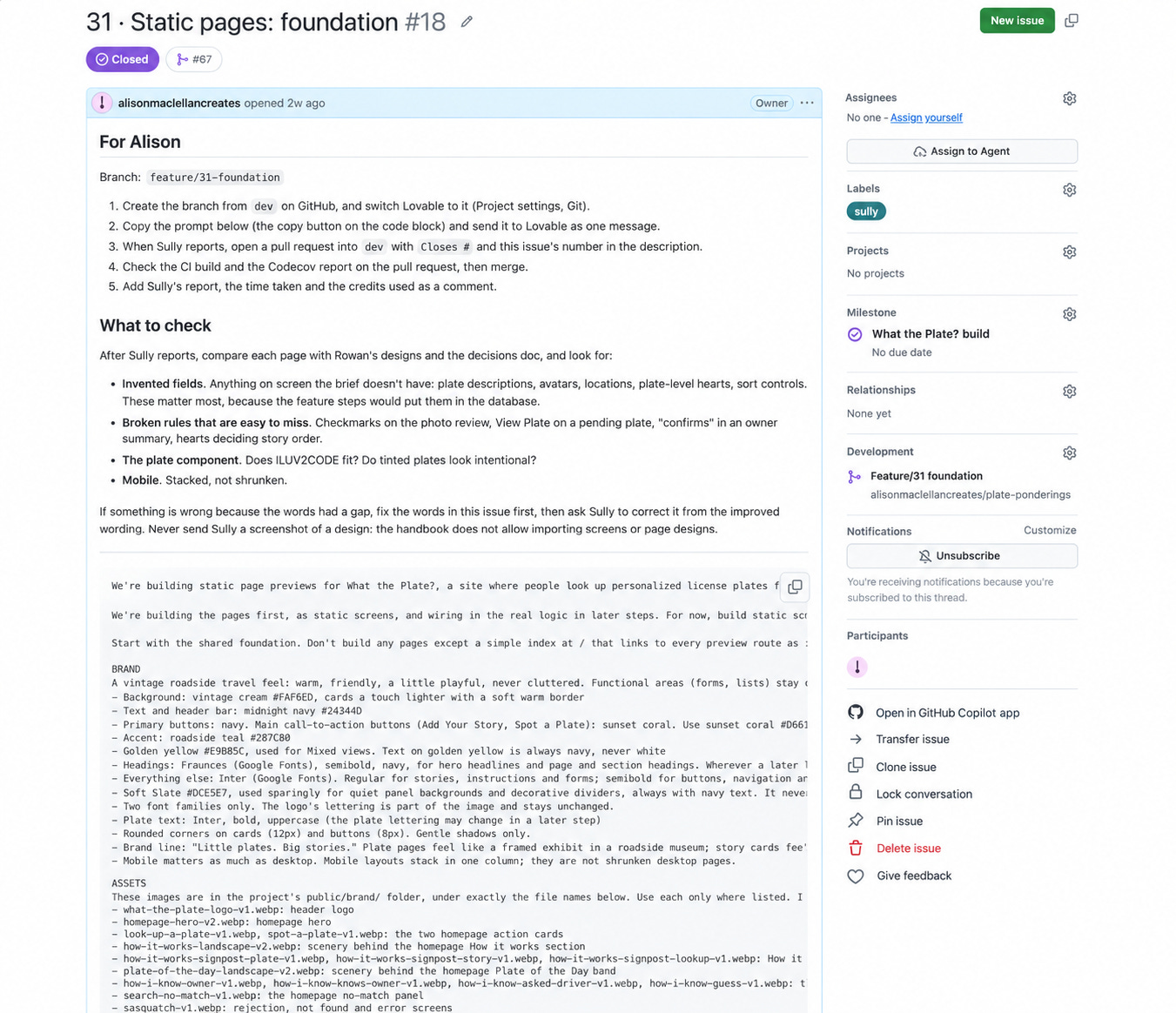
In the title I have a step number. And each main section of my build starts on a 10. What? If a section takes 7 steps, they’re numbered 20 to 26, and the next section starts at 30. Why? Because I always find something I missed, and the gap leaves room to slot it in while keeping everything in order. It’s as simple as that. It’s just a quirk of mine that I’ve done with my to-do lists forever. Although I do end up breaking things down into step 33a, 33b, 33c sometimes, I much prefer a nice ordered list. GitHub numbers issues in the order they’re created, which is why step 40 is issue #27. The step numbers are mine.
For a new app, I start by building static pages of every page in the product. So all those images we created on Tuesday, I now build them as static html pages.
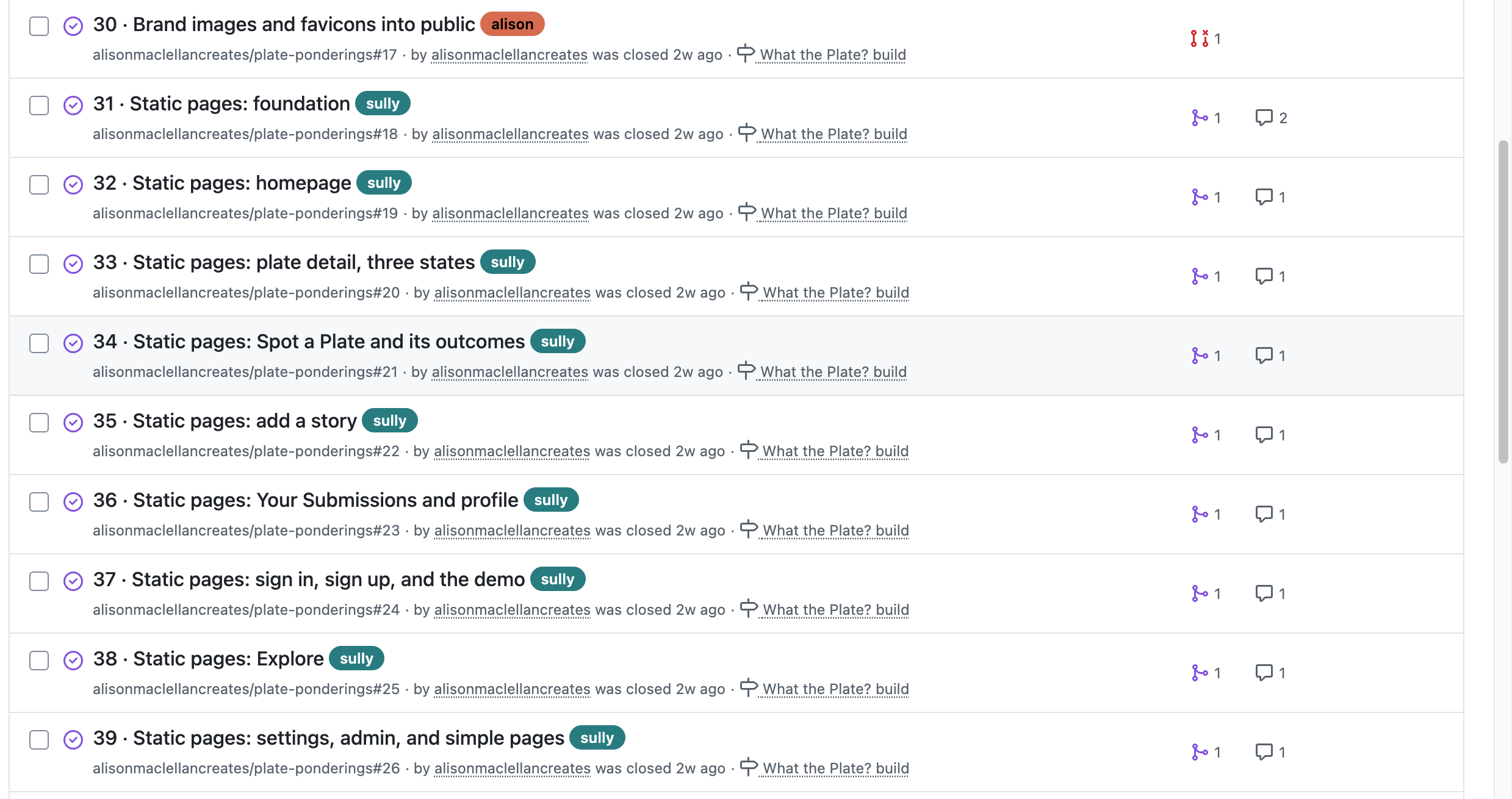
Why? To make sure of how my prompts translate into something real. And this isn’t just busy work. Next week we’ll talk about how valuable this step is. I decided to skip it recently because I was just doing a proof of concept and I regretted it.
The first static page is the visual guide from Tuesday’s essay.
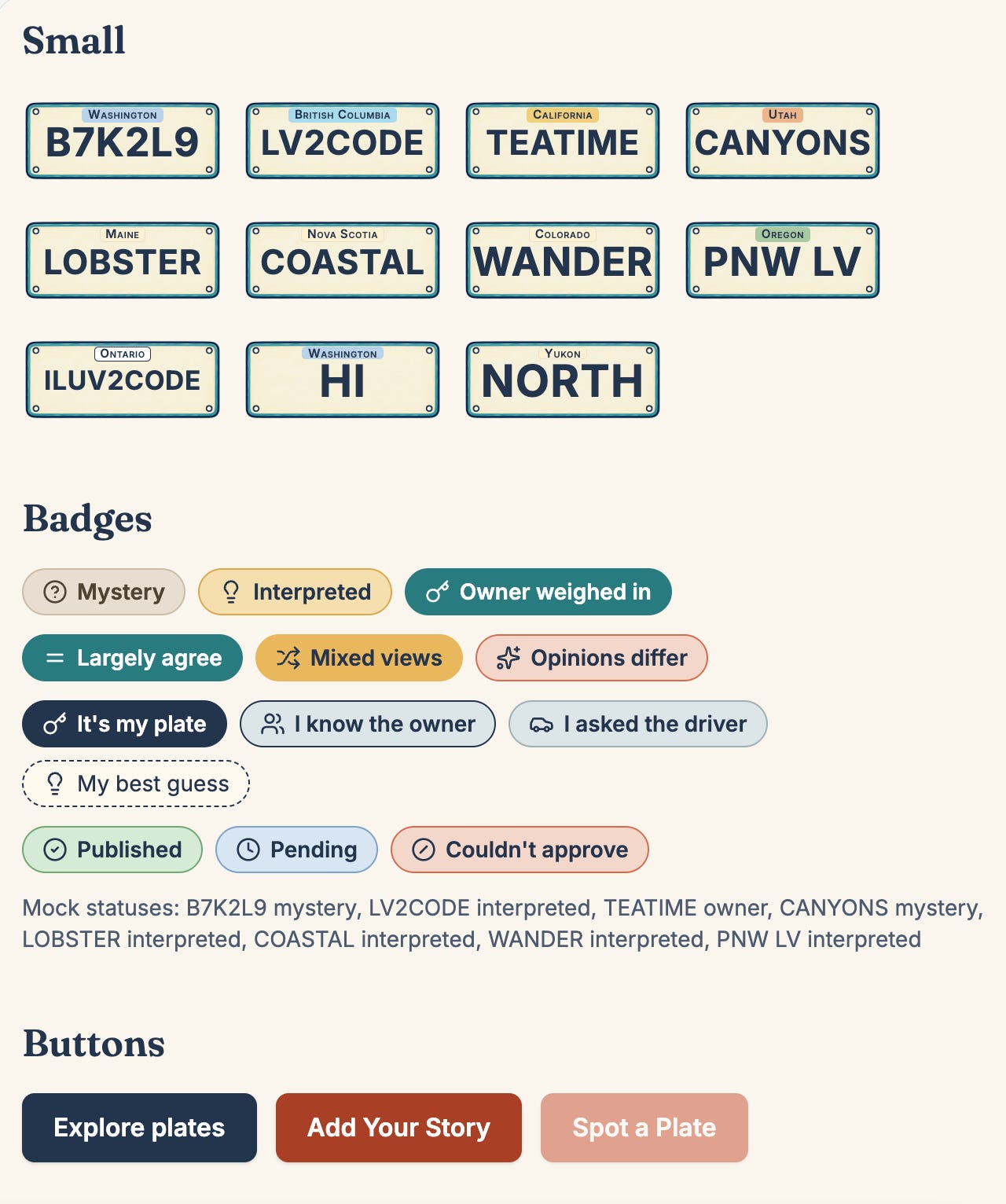
Before I start building, I review the issues and confirm I’ve covered everything. Of course, I almost always miss something, and I add whatever I find. That’s how my original 51 started creeping up to 69 issues.
I’m now 4 essays in, 5 if you count the intro, and we haven’t started to build any code. I’m sure you’re thinking, get on with it Alison. But remember, I’m Code Like A Little Old Lady. We’re building not just for speed. We want to build a product that we can maintain when we’re done. We want to be able to see if our product is being used and how. And we want to be able to build without having to stop and change directions after every step. Next week we’ll start the build. I promise.
Glossary
Admin (administrator): the person who runs the site, blocking spam, clearing issues, and keeping things running
Anonymize: to remove anything that connects data to a specific person
Branch: a separate copy of the project where you can make changes without touching the main version
Brief: a written description of the product. Names, fields, limits, rules. No code.
Check in: saving your changes to the repository (new)
End to end (E2E): the full journey through the app, from first screen to last
Entity: one kind of thing the database stores, like a plate, a story, or a user
ERD (entity relationship diagram): a picture of the entities and how they connect
GitHub: a website for storing projects, their history, and the work planned for them (new)
Hero image: the large image at the top of a page
Issue: a single task tracked in GitHub. In this series, each issue is one step.
Label: a tag on an issue that tells you something about it at a glance. Mine say who does the work. (new)
Memory: what Rowan and Lovelace pick up over time from working with me
Milestone: a group of issues that together complete something larger (new)
Palette: the set of colors a design is allowed to use
Project knowledge: the place in Lovable where the brief lives, read by Sully with every prompt
Prompt: the instructions you give an AI to do a piece of work (new)
Proof of concept: a quick, rough build to see whether an idea works (new)
Regenerate: when an AI image tool redraws the whole image instead of changing one part
Regression: an error in something that was previously working
Repository (repo): where a project’s files and history live in GitHub
Role: a label on an account, like admin, that decides what that person can see and do
Schema: the blueprint for a database: what things it stores and how they connect
Seed data: a starting set of data loaded into a new database
Source code management (SCM): a system for storing code and tracking every change to it (new)
Static page: a page that looks real but doesn’t do anything yet (new)
Storyboard: the set of screens showing how a user moves from page to page
Telemetry: data an app collects about how it’s used and what it was doing when something went wrong
Test harness: the automated tests and checks that run on every change to confirm nothing broke
Token: the unit AI tools use to measure text, and often to charge for it
Visual guide: a single page showing every color, style, and component the app uses