

I was lying on my couch staring at the wall. I was looking at the picture rail with photos of my children. Photos they hate. Photos they want me to remove. I started thinking about how I can keep what is important to me when it makes them unhappy.
My brain thought about a new digital picture frame and getting my photos set up there. I’ve done this before. I have a couple of smaller desk frames, and they make me happy as they cycle through pictures. Of course, it takes a while to curate which photos I want on the frame.
From there my brain went on a walkabout, and I remembered the idea of a daily photo cleanup, so that by the end of the year you’re down to just the photos you really want to keep.
Then it was just a hop, skip and a jump to: how would I build this? And this is how I came to the idea of building my first iPhone app.
This isn’t the first iPhone idea I’ve had. My husband and I started working on a game at the beginning of the year. Nothing fancy, a cryptoquotes game to learn how to build a game for iPhone and Android. This started before my retirement, so I stayed out of it. Mostly. I built out the project board and steps. We had a couple of standups (Friday late afternoon at a local pub) to discuss how it was going. I handled getting the business set up and all the things we needed to create developer accounts. He worked on the code.
Over time, I stopped paying attention. He was learning, and I decided to turn the Gaze of Sauron to other things. One day I realized I thought we had everything we needed for the developer account, and I should get it set up. So I did. And of course, I missed something. Now I’m back to that.
But now I have an idea I want to build, which means I’ll push harder to get the paperwork done. The first step is finishing our business website. It was just a placeholder before. OK, now I know that is insufficient. When the developer account application was rejected, I started a rebuild. But I overdesigned. So today I’m going to simplify and get a working site in place to resubmit.
Now, let’s talk about the app. The idea is simple. Each day, an app shows me every photo I took on this date in any year, and I flag the clutter as I go.
I spent time with Lovelace discussing what features I want in my app. A big one is tagging vs. deletion. I have a paper bag of documents for shredding. I let paper sit in that bag for months before I actually shred it. More than once, something has ended up there that I needed, and I was able to get it back. I am a data dragon sitting on my hoard. The same can be said of my photos. During Covid I found 30-year-old backup diskettes. I’m a keep-it-just-in-case person. One feature for me was tagging for deletion, but not actually deleting. Flagged photos wait in a Cleanup Queue album until the end of the year. Then I’ll pull all the photos to be deleted, download them to a zip file, and remove them from my iCloud storage. That’s my twist. My dragon tendencies want to keep the hoard, so that’s what I’m going to build.
A few minutes a day, and one decision at the end of the year, made with the whole year in view.
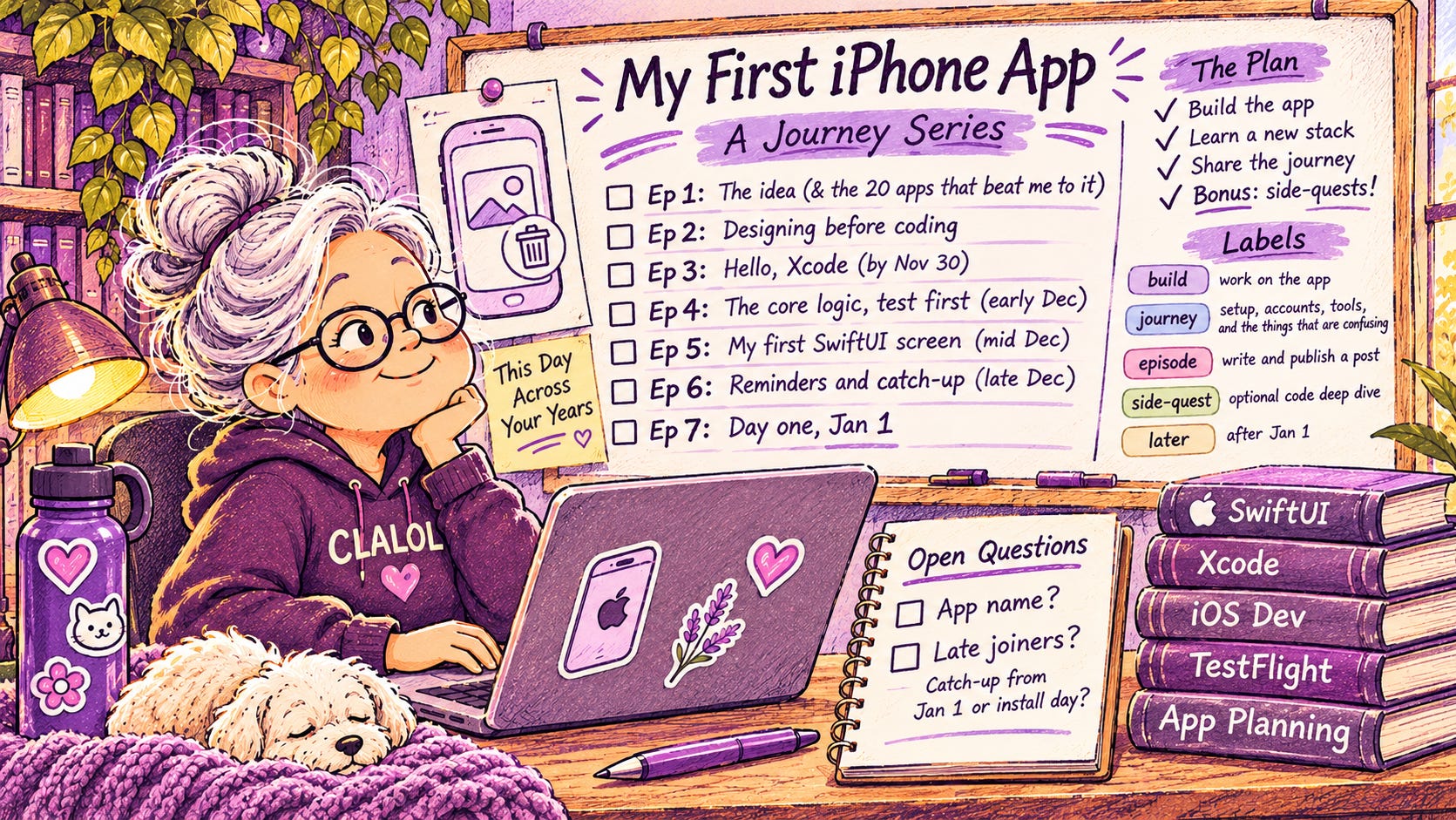
I was pretty pleased with myself until I discovered roughly twenty apps that already do most of this. I’m building it anyway, because the app was never really the point. I’ve spent decades building software, but never for the iPhone. This series is me walking through that first time in public, so that if you’ve been wondering whether you could build your own app, you can learn with me.
Follow along as I trip my way through creating my first iPhone app. The repo is public: My First iPhone App repo
Here’s the project board with the steps so far: project issues
If you followed me on #SheBuilds, you know there will be more issues, but this is where I’ll start.
The first thing I created for this project was a repo setup script for myself. In my #SheBuilds series, I did a post about creating rules and branching in a new repository: Before The First Prompt
Well, I made it a script that lives in my tools repository. It lets me quickly create what I need from the command line rather than going through the UI. I added it to the scripts folder in the my-first-iphone-app repository. Tweak it as needed.
Which brings me back to the picture rail. Somewhere in that hoard are the photos for my new picture frame, including some my kids hate. This app is how I'll find them, and how I'll take the photos off the rail and put them in a frame instead, making us all happy.
Next up will be designing the app. UI isn’t my strength, so hold on to your hats.

I’m def gonna follow along. I love it. Also I’d use this app & like the “move it and let it sit” part!