

One honest note before I go on. What I want may be possible on a Lovable Business account. I have not made that leap, yet. This post is about what I can do with the pro plan I have today.
I got curious about something this week, and I want to show you how the curiosity went, including the part where my first answer was wrong.
With each new project I build with Lovable, I pick some “thing” that is important to me to see how to build it with Lovable. Tonight was a separate dev and production database.
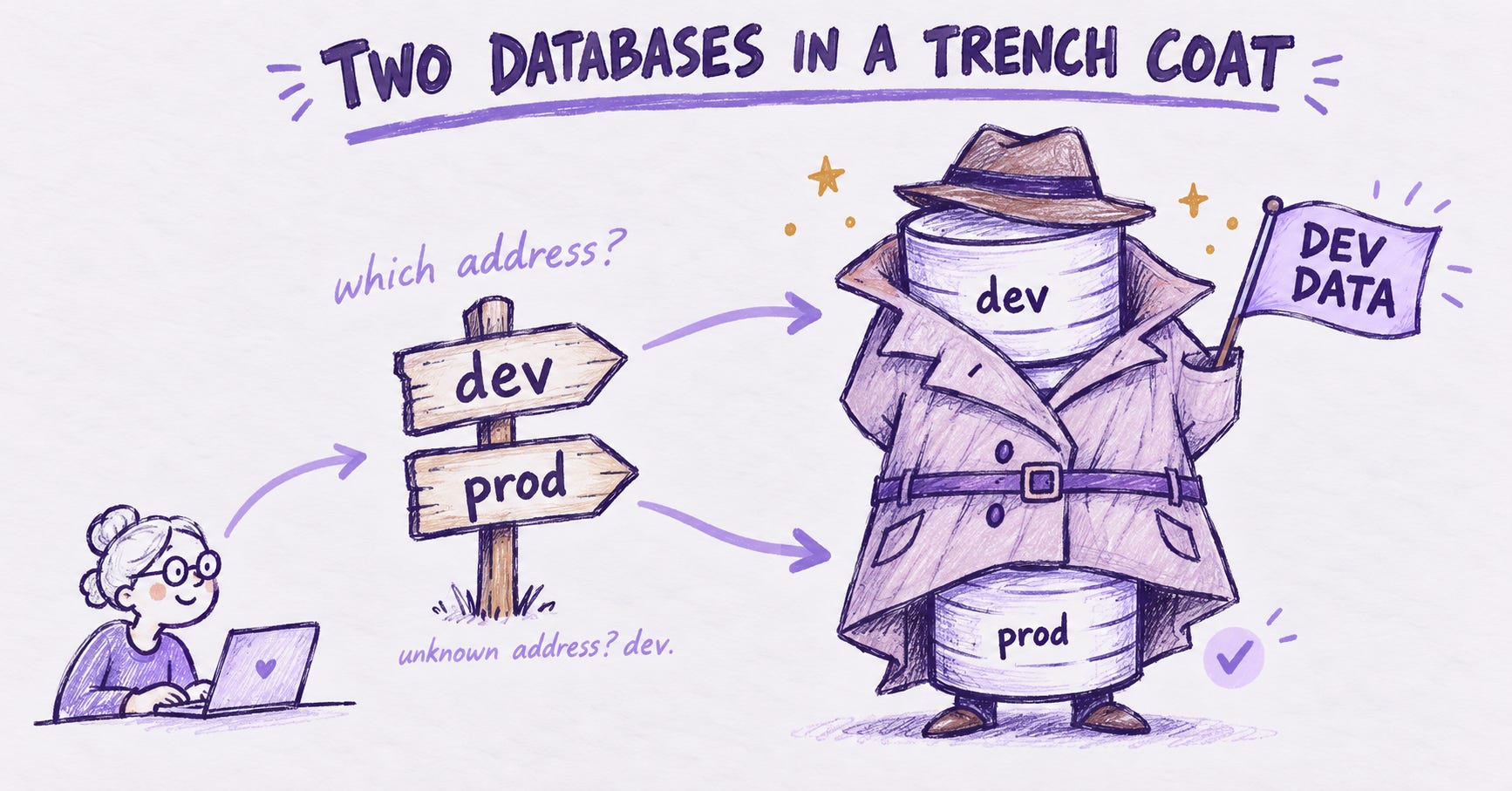
Lovable gives me one database, and Lovable manages it. I can preview my app (dev) and I can publish it (prod), but both talk to the same data. No dev database. No prod database. Just the one.
Most developers solve this the same way: two environments, two databases, and a path that carries code from one to the other. Lovable gives me half of that. I can work on a branch and publish when I am ready. What it does not give me is a second database to point the branch at.
So my next idea was two Lovable projects, each with its own database, both homed on one GitHub repo. A dev branch feeds the dev project. A pull request merges to main, and main feeds the production project.
That runs into how Lovable connects to GitHub. One project gets one repo, and it is always a brand new repo. I cannot point a second project at a repo that already exists. Two projects means two repos.
Fine, I thought. Two repos, and I copy the code from one to the other when it is ready. That is a promotion step instead of a merge, and it can be done. But the copy carries the settings file with it, and that file holds the address of the database. Lovable writes it for each project. Copy it across without care and the production project points at the dev database, or the other way around.
You can protect that file during the copy. I have saved that whole pipeline for later, because it is a good pattern. But it is a lot of machinery just to keep two sets of rows apart, and a lot of places to make a mistake that only exists because of the setup.
So I went looking for a way to do it inside the one database.
If you have ever worked in SQL Server, you know a trick for this. You keep dev.plates and prod.plates side by side, same table name, different schema. So I asked: does Supabase do that?
It does. Supabase is Postgres underneath, and Postgres has schemas.
One note before the story. Everything below happened in a throwaway Lovable project, made only for this test. It is not the project I will build in October. The only thing that carries over is what I wrote down.
I kept the prompts I used, so you can run the same test. They are in the grey boxes. Use a throwaway project, not one you care about. These prompts change which schemas your database exposes.
Round one: make it exist
I asked Sullivan, my Lovable partner, to create a dev schema and a prod schema, each with a small plates table. It ran. It reported no errors.
Here is the prompt:
Add a migration that creates two schemas, dev and prod. In each, create a table named plates with id (uuid, default gen_random_uuid()), state (text), text (text), created_at (timestamptz, default now()), and a unique constraint on (state, text). Turn on row level security in both. Add a policy in each that lets anyone read and lets signed-in users insert. Grant usage on both schemas, and the matching table privileges, to the anon and authenticated roles.Then I opened the Cloud tab and it showed no tables at all. That was not what I expected.
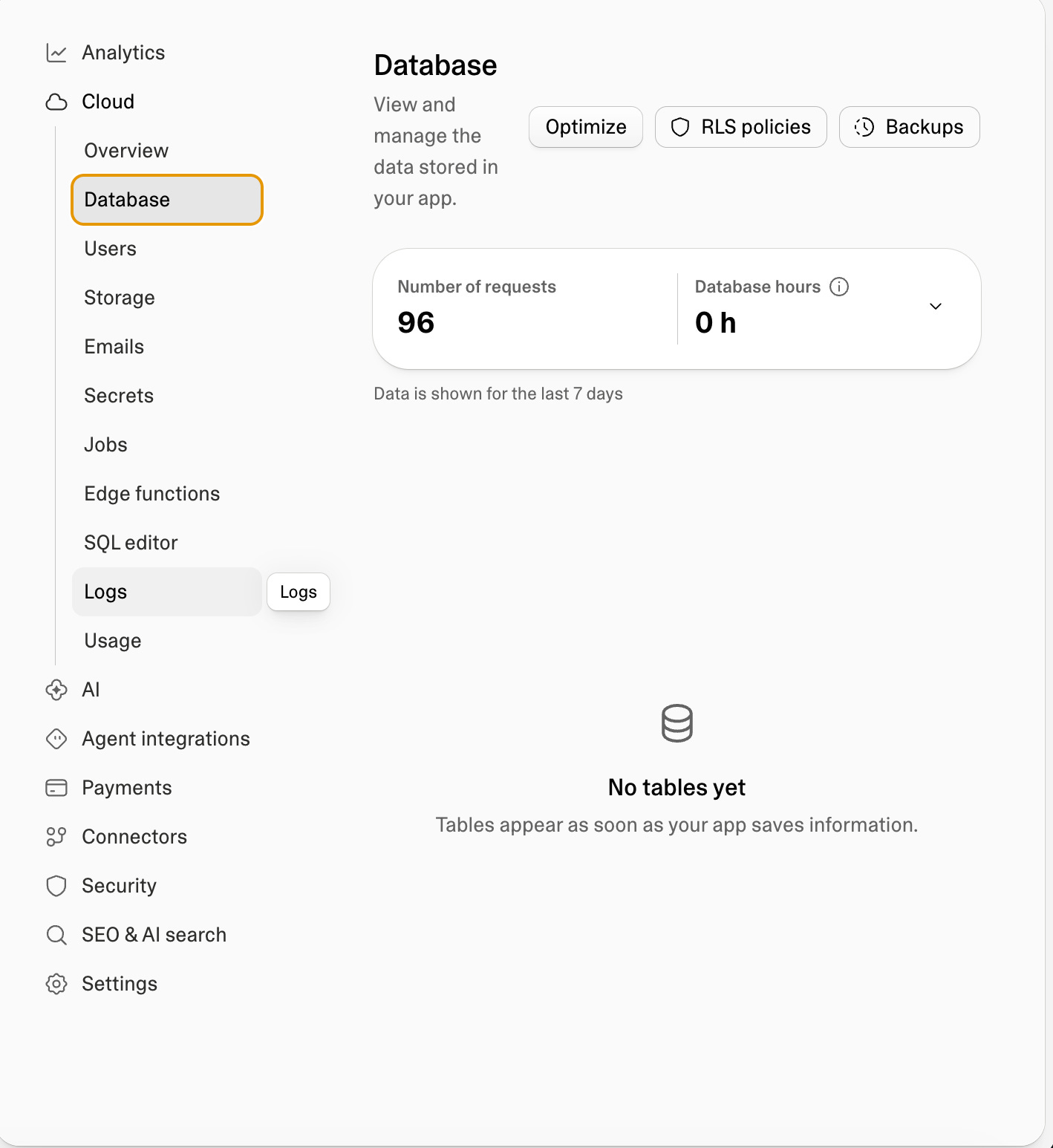
Nothing had failed. The Cloud tab only lists the public schema. The tables were there. The tab just could not see them. That is a real cost, and I will come back to it.
Round two: let the app see them
The app could not reach the new schemas. The error was Invalid schema: dev. By default the API only exposes public.
One database setting fixed it. I told the database which schemas the API may serve. The same request that failed now returned an empty list, which is exactly what a new table should say.
This is the corrected version, with the full list. My first one left out graphql_public, more on that below.
Add a migration that adds dev and prod to the schemas the Supabase API exposes, alongside public. Use:

alter role authenticator set pgrst.db_schemas = 'public, graphql_public, dev, prod';
notify pgrst, 'reload config';
notify pgrst, 'reload schema';
Round three: do they stay apart?
I had Sullivan build a tiny test page with a dev and prod dropdown. Two plates into dev. Switch to prod: empty. One plate into prod. Back to dev: still just the two.
A shortened version of that prompt:
Add a test page at /schema-test with a dropdown for dev or prod, a button that inserts a plate (state "CA", text "TEST" plus a random 4 digit suffix) into the chosen schema, and a list of plates from the chosen schema. Use the schema on each query with supabase.schema(chosen).from("plates"), not by changing the global client. If the generated types do not know about the dev and prod schemas, tell me and do not edit types.ts by hand. Signed-out visitors can see the list but cannot insert.The wall holds, in both directions.
Round four: where my first answer was wrong
I assumed I could pick the schema with an environment setting, one value for the preview and another for the published site. That is how most people separate environments.
It does not work here. There is one settings file, and the value is baked into the app at build time. Preview and published read the same thing. And they both had the great big red banner.
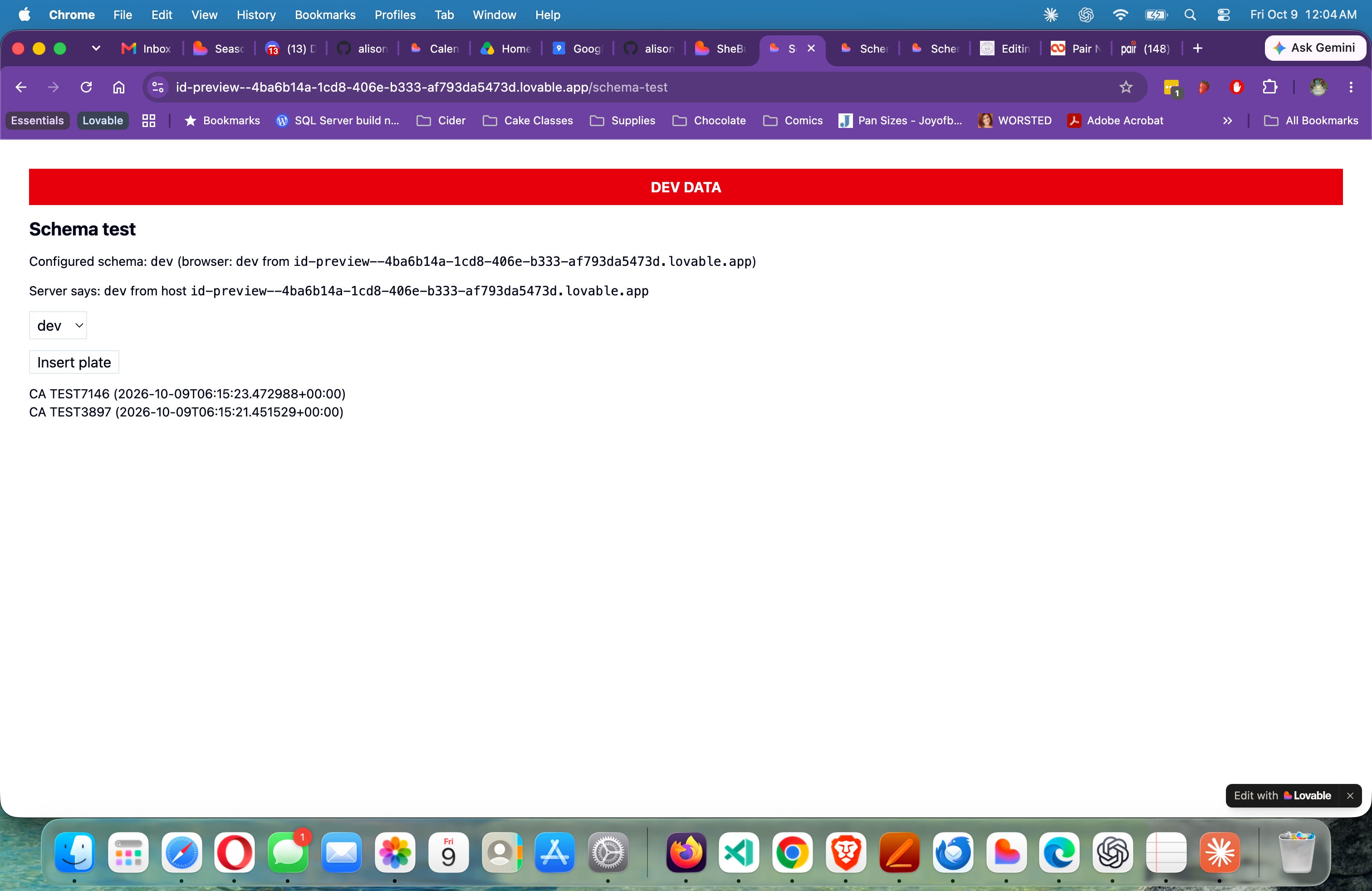
What does differ is the web address. The preview lives at one address and the published site at another. So the app now looks at its own hostname. If the address is on a short list I trust, it uses prod. Anything else, dev, with a banner that says DEV DATA.
The core of that prompt, shortened:
Decide the schema from the hostname, in one shared helper that the browser and the server both call. Only the published hostname is on the prod allowlist. Everything else, including preview hosts, localhost and unknown domains, resolves to dev. In the browser, resolve after hydration so the first paint matches the server render. On the server, read the request's Host header. When the resolved schema is dev, show a visible banner that says DEV DATA.I published it and checked both. Preview: banner, two dev plates. Published: no banner, one prod plate, and nothing leaked across.
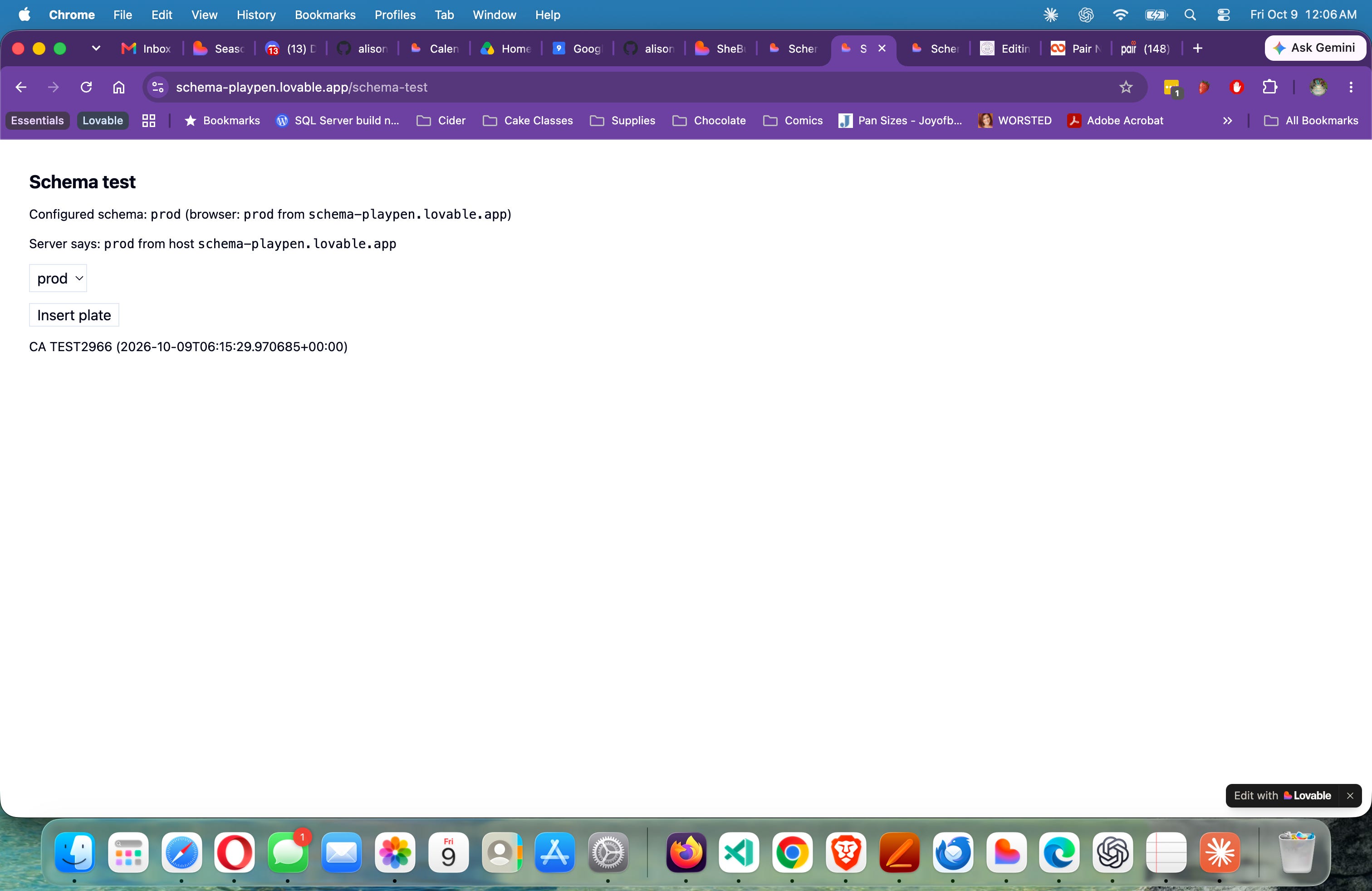
The design choice I like best is the boring one. An address I do not recognize falls back to dev. If I get the list wrong, the app shows an empty site. It never writes test rows into real data.
I have ended the test proving it works, but determined for SheBuilds it’s just an extra thing I don’t want to worry about. We proved out that Sully remembered not to use public when I had him make more changes, but that was with a short time window. What happens over time. Over sessions. While I’m trying to get something published. But I will be coming back to this after SheBuilds.
Alison + Lovelace