


This is a 9-part series outlining the way I worked for #SheBuilds.
If you’re curious where I started, check out Part 1: Show Me Your Prompts

Yesterday I ended with a full storyboard. Rowan (ChatGPT) and I designed the pages and how we envisioned them working together. Like all good plans, it lasted until first contact. In this case, contact was Lovelace (Claude), someone who wasn’t part of the design. The storyboard shows everything the user sees, and this stage finds everything they don’t see.
I mentioned previously that we couldn’t upload screenshots to Lovable to do our build for #SheBuilds. This means every screen, every interaction, everything needed to be described. Leaving the request vague or making assumptions means you don’t get the product you want. This has always been important, but human to human, we have a shorthand in many ways. We don’t have that same shorthand with AI. So Lovelace takes all those pictures and the flow between the screens and turns it into words. Lots of words. And those words become the brief we discussed in Monday’s essay.
Lovelace would ask, what happens when the user does this. And sometimes the answer was, ugh, I missed that. And like always, finding as many of these early in the process is best. Of course, we didn’t find everything in the back and forth, which is how I ended up with 69 issues by the end of the build when I started with 51. Part way through creation, adjustments had to be made, more prompts created. But this step isn’t about perfection, it’s about truly walking through the product.
I’ve determined I like this step. Previously I would have just uploaded the picture to Sully (Lovable) and have it start building. This step pushed me to think more deeply about the product I wanted to build. Ultimately it gave a better product. I spent a significant number of hours between the screen designs and this description, but by the time I was done, the product felt solid.
Those words help drive the database schema. A schema is the blueprint for a database: what things it stores and how they connect. The database holds the various entities that are used in the product. The things. The license plates, the stories, the users. We want those entities to all fit together. We want to be able to ask questions about the data and receive a clear response.
This is a simplified version of the dataset showing connections. Decisions here impact how the features work. For example, I built in support for user account deletion. But if I removed an account, normally all the data would also be removed. I wanted the stories to stay in the database because they were used in generation of the summary. So when an account is deleted, its stories stay but are anonymized, no longer connected to the person who wrote them. It was important to allow that behavior.
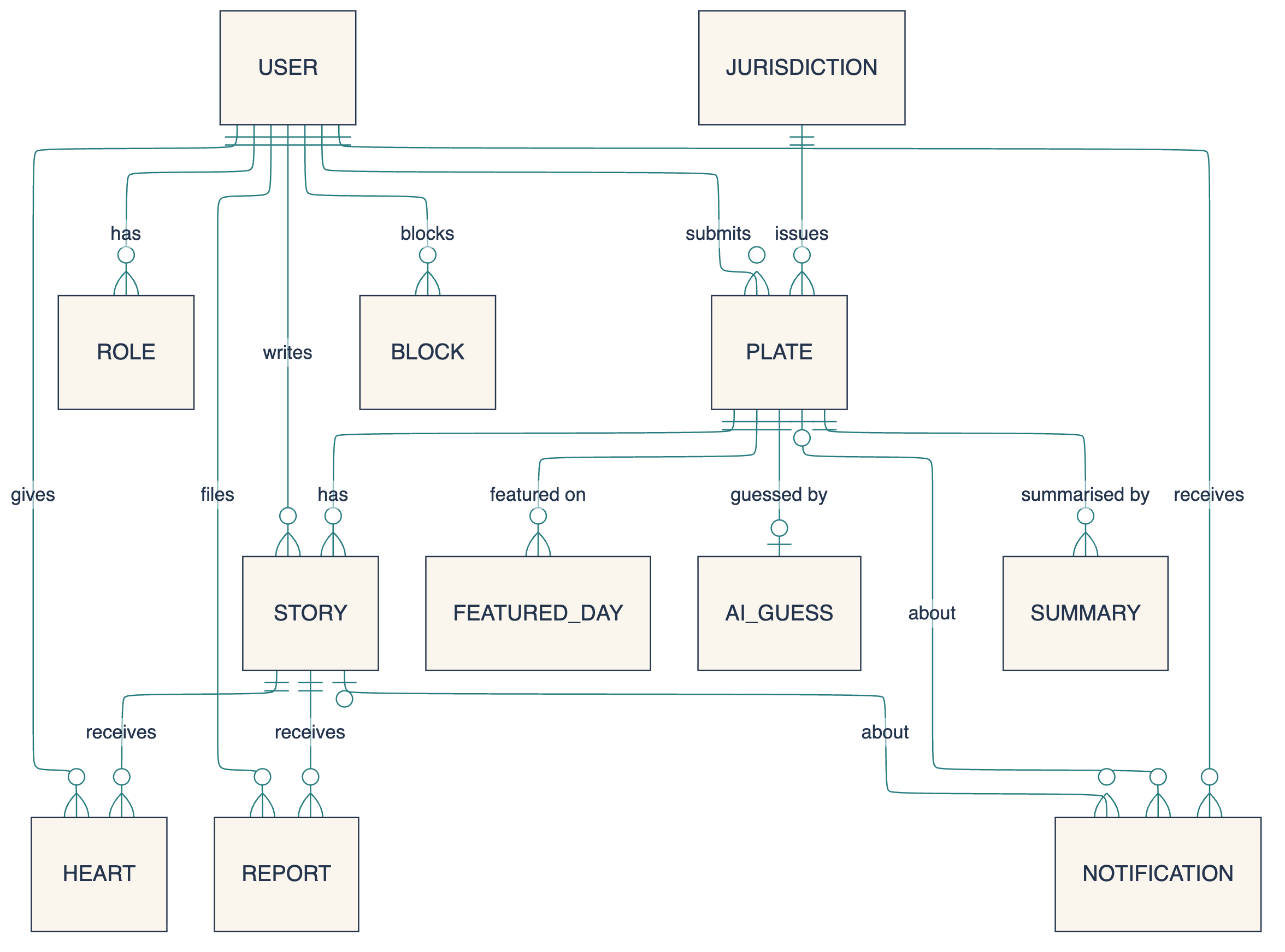
Building databases has been my career for decades. And I’m doing my best to keep this at the 1,000-foot view. My first pictures were very detailed. I could talk about database design for hours on end. Here simple decisions, such as adding a role to a user account, can drive what each user can see in your app. These are things worth thinking about in advance.
The next big thing to build was telemetry. I needed to decide what to measure, what do I want to know about the system and how it works. This is something many people put off until the end, but I build in from day 1. At the very least being able to say how many people are using your system, especially if you’re trying to get funding to continue a project, is a bare minimum.
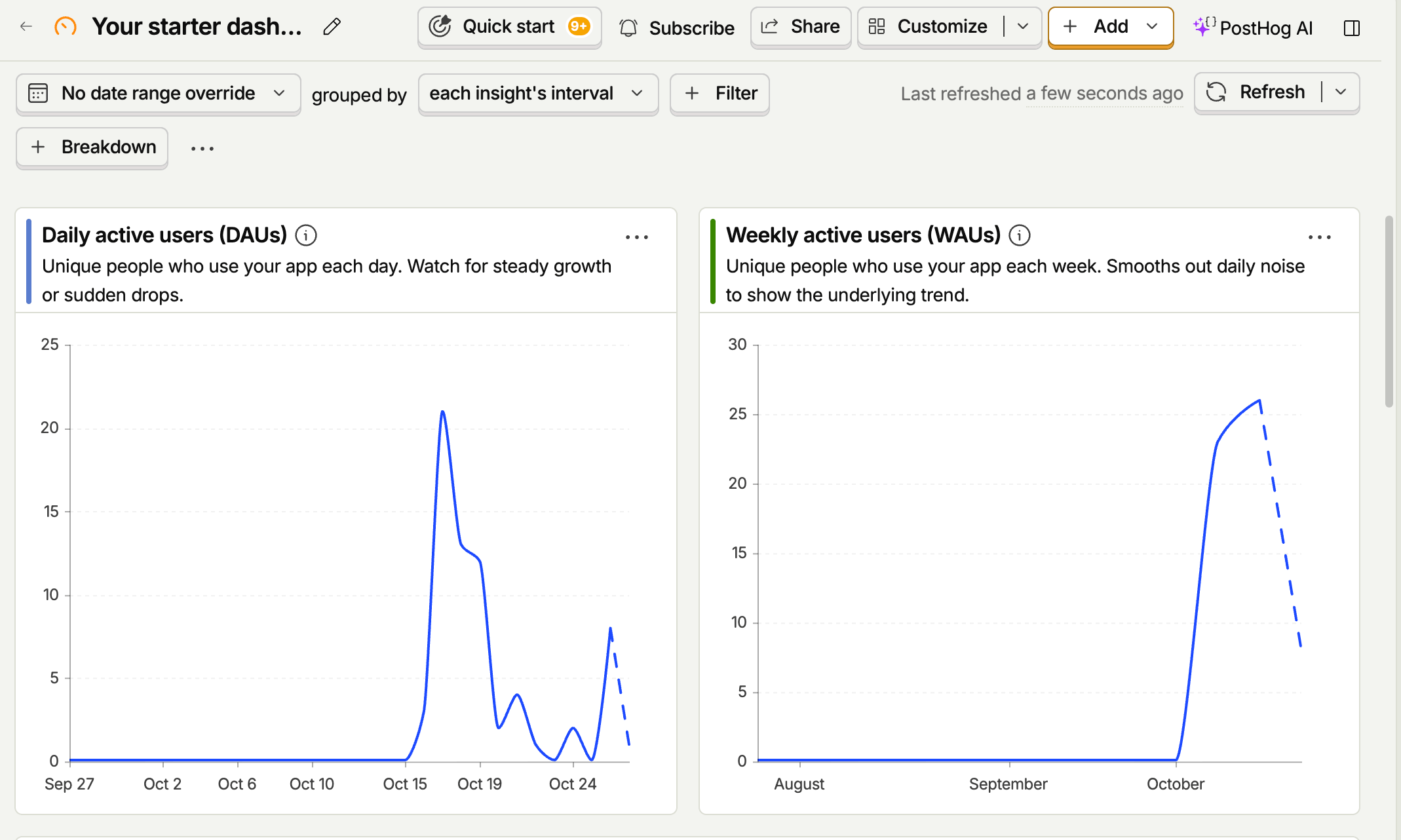
My telemetry also helps me answer when there are problems. If something goes wrong, the telemetry can tell me what the system was trying to do so I can recreate it. I used PostHog for my telemetry. That’s a whole essay on its own. And frankly, I could talk about telemetry and its implementation for a whole series. There are many great products out there to help you with your telemetry, and it’s worth investigating early in your process.
The last thing I’ll talk about in the design is building for admins (administrators). Administrators are the unsung heroes of all systems. And thinking of them early means you’ll have happy admins. The site is all about the user, but if you don’t think about the person who has to run the site, block people, clear issues, and all the things to keep it running, you’ll be playing catch up once you’re live. And there will be administrative tasks from day 1 of your development. Roll it in early.
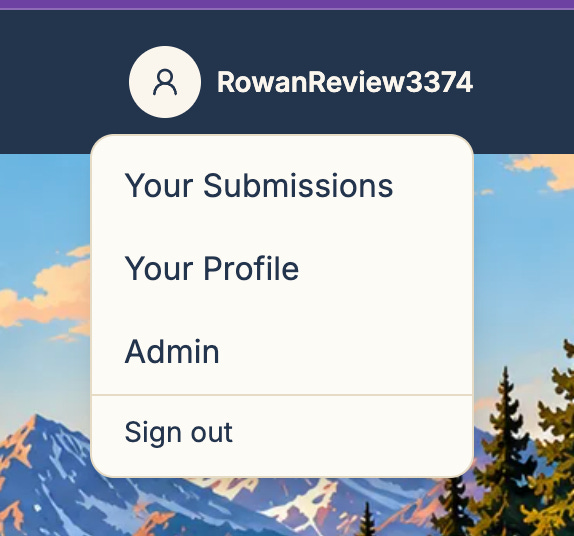
Having roles for accounts makes adding administration fairly simple. This account is an admin, so it has a nice simple additional choice in the navigation menu. Admin doesn’t have to be a separate site, especially in the beginning, but the basics to get the app off the ground.
The first item on this page was loading seed data. Seed data is a starting set of data for the database, in this case a set of plates and stories. Next to it was a button to add more random data to fill in the gaps. After running it a few times, I had a nice mix of planned and random data, which makes a handy test environment.
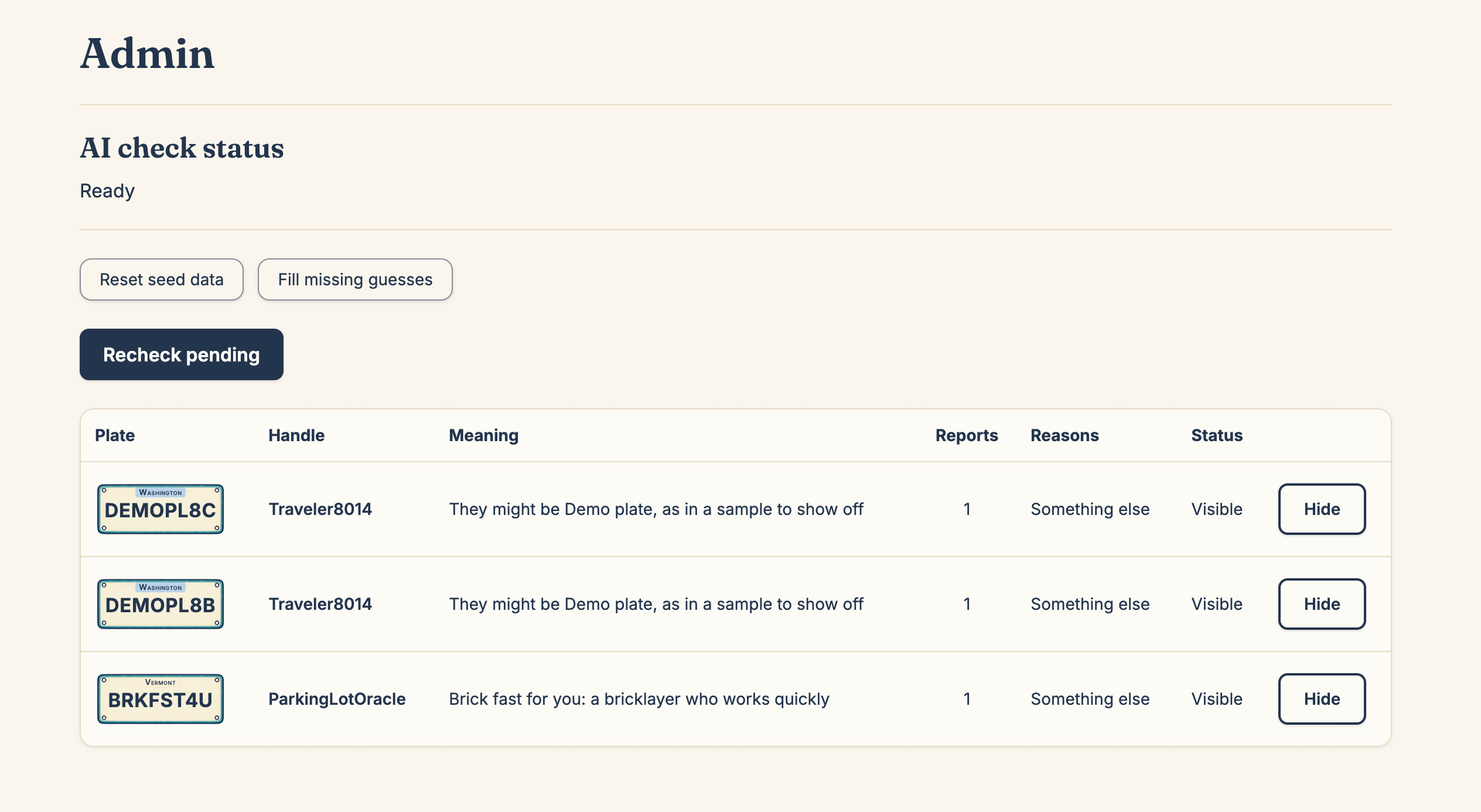
This app also uses AI, and if the AI work gets backlogged, this page lets the admin see it.
Nothing fancy, just little things to make the app easier to use to keep it running. You could also add a link to the telemetry here, to make it simpler for the admin to debug any issues.
Through the process, when Lovelace would ask a question, I’d have to go back to Rowan and we’d need to redesign the flow or add a new screen or button. We’d create new images and Lovelace would move forward. Doing that before I had a single line of code is cheap, or cheaper. I can still easily change my database relationships, I can add in missing telemetry, but I don’t have to redo work or update live schemas.
And from all this discussion, we’ll end up with the prompts to build the entire system with the brief as support. Tomorrow we’ll talk about those prompts and how I manage them.
Glossary
Admin (administrator): the person who runs the site, blocking spam, clearing issues, and keeping things running (new)
Anonymize: to remove anything that connects data to a specific person (new)
Branch: a separate copy of the project where you can make changes without touching the main version
Brief: a written description of the product. Names, fields, limits, rules. No code.
End to end (E2E): the full journey through the app, from first screen to last
Entity: one kind of thing the database stores, like a plate, a story, or a user (new)
ERD (entity relationship diagram): a picture of the entities and how they connect (new)
Hero image: the large image at the top of a page
Issue: a single task tracked in GitHub. In this series, each issue is one step.
Memory: what Rowan and Lovelace pick up over time from working with me
Palette: the set of colors a design is allowed to use
Project knowledge: the place in Lovable where the brief lives, read by Sully with every prompt
Regenerate: when an AI image tool redraws the whole image instead of changing one part
Regression: an error in something that was previously working
Repository (repo): where a project’s files and history live in GitHub
Role: a label on an account, like admin, that decides what that person can see and do (new)
Schema: the blueprint for a database: what things it stores and how they connect (new)
Seed data: a starting set of data loaded into a new database (new)
Storyboard: the set of screens showing how a user moves from page to page
Telemetry: data an app collects about how it’s used and what it was doing when something went wrong (new)
Test harness: the automated tests and checks that run on every change to confirm nothing broke
Token: the unit AI tools use to measure text, and often to charge for it
Visual guide: a single page showing every color, style, and component the app uses