


Note: This was generated using my exported Slack Logs of the Inner Chamber. I am trying to learn how long I spend on things to build out my timings for #SheBuilds. The exported transcript also has all the images allowing me to generate a video at the end of my build.
At 1:32 PM on Saturday, October 10, I started a Slack thread that opened with “we are going to build a new project.” At 6:22 PM, Sully posted a screenshot of a nasty comment about a dog being politely turned away by a content filter. In between those two timestamps, we built Pawprint.
Pawprint is a small gallery of animal photos. You sign in with a code sent to your email, upload a picture of your furry, feathery or scaly friend, and other people can react to it and leave comments. Behind that simple front door sits a moderation console, a strike system, automatic suspensions, an appeals queue, an AI check that makes sure there is actually an animal in your photo, and a daily featured animal on your home page.
I didn’t build it alone, and I didn’t build it with one AI. The whole thing happened in a single Slack thread with The Inner Chamber:
Sully (Lovable) did the building. Every migration, route and screenshot came from Sully.
Lovelace (Claude) wrote specs and reviewed code. Or tried to review code. We’ll get to that.
Elian (a ChatGPT agent) was our art director.
Me. Product owner, tester, approver of database deletes, and the person who pasted a live API token into Slack. We’ll get to that too.
This is the Code Like a Little Old Lady version of the story: what we built, what we considered and threw away, where it hurt, and where the five hours actually went. Spoiler on that last one: not where you’d think.
I know this is long. This is my version of a TL;DR:
Where the time went: about 75 minutes of building in a five-hour afternoon. The rest was deciding.
The phone number detour: an hour and a quarter getting a text to my phone, then I threw phone sign-in away.
V1 to V3: two AIs proposed, one reconciled, I picked, and each version took minutes to build.
Using it is how you find the holes: the best fixes came from me tripping over the app.
The review that kept turning into pull requests: getting an AI to only review was harder than getting it to build.
Friend of the Day: one ambiguous word, two readings, and my favorite bit of engineering.
The discard pile: seventeen things we didn’t build, and why.
Wrapping up: a movie script, a G rating, and what I’m taking away.
Where the time went
From first message to last, the afternoon ran 4 hours and 50 minutes. Sully spent roughly 75 of those minutes actually building. The rest was me deciding, testing, approving, changing my mind, and occasionally walking away.
Here is every build, measured from my “go” to Sully’s “done.”
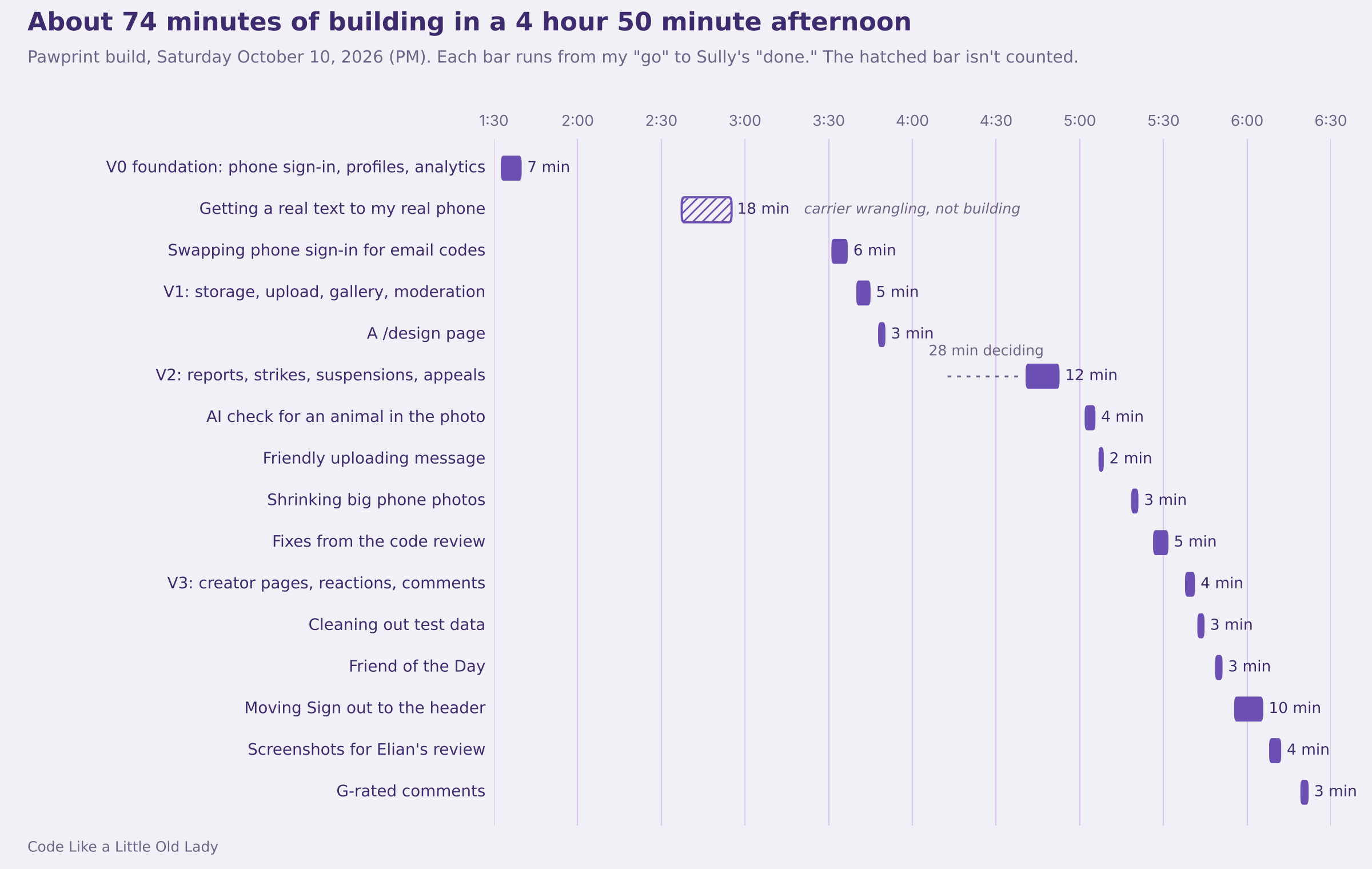
Look at V1. Five minutes for storage rules, an upload pipeline, a paginated gallery and an admin console. Now look at the 45 minutes after the first build when nothing much happened at all, or the 28 minutes I spent sitting with the V2 options before saying yes.
The building was cheap. The deciding was the work. Even the slowest “build” on the list, moving one Sign out button, took ten minutes mostly because Sully stopped twice to ask permission to log in as me for a screenshot.
The phone number detour
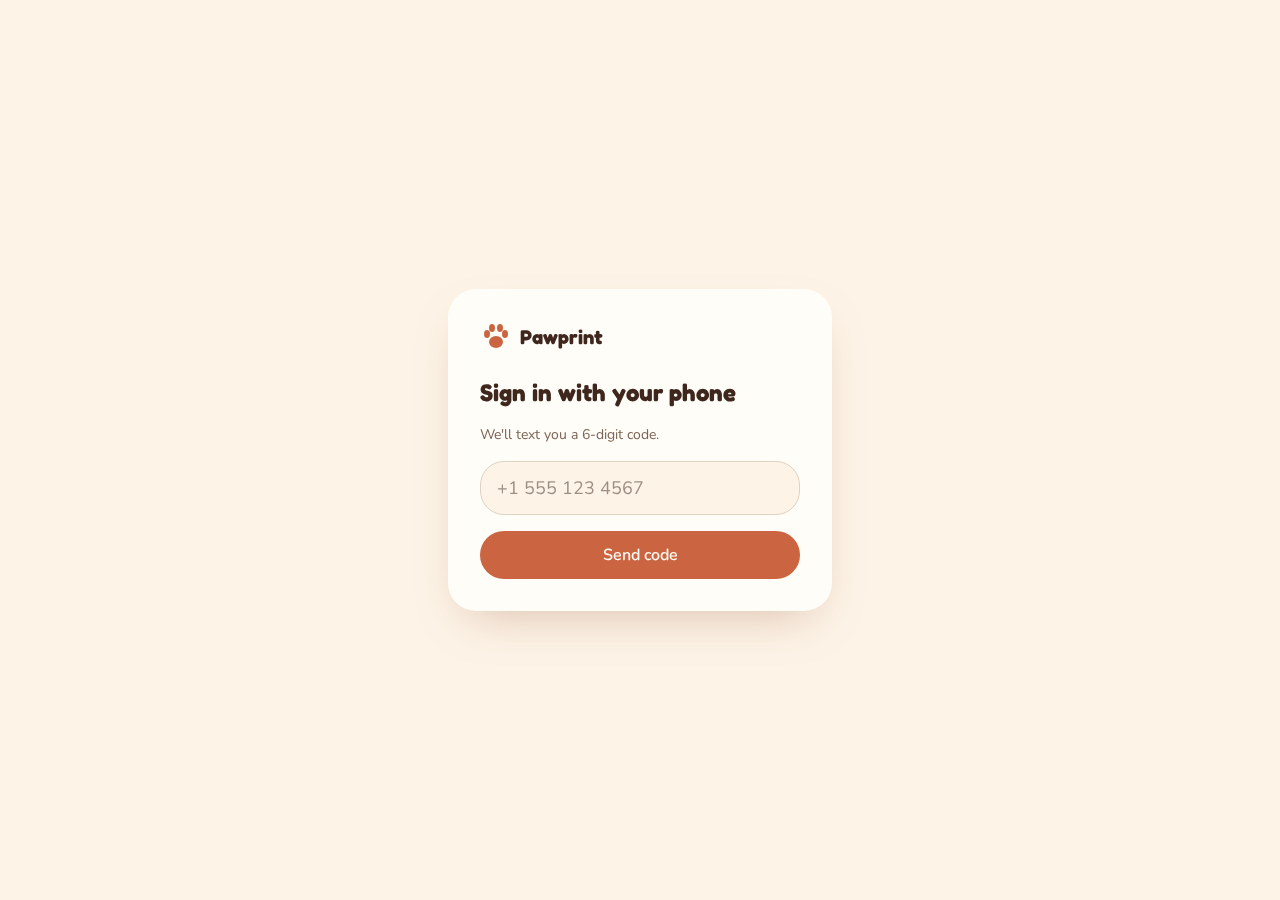
The spec Lovelace wrote said sign-in would be by phone only: type your number, get a six-digit code by text, done. No passwords. Sully had that built in seven minutes. Getting a text to actually arrive on my phone took the next hour and a quarter.
Here is the sequence, because every step taught me something.
I had a working curl command. I’d already sent myself a test text through Twilio from the command line, so I pasted that command into Slack and asked if we could use it. Sully explained why not: Lovelace’s spec had already chosen Twilio Verify, Twilio’s dedicated sign-in-code service, and my curl command used Twilio’s general messaging service instead. That one needs its own carrier registration, and plugging it into the auth system would mean writing a custom hook. Sully also pointed out, gently, that I had just pasted my live Twilio credentials into a Slack thread.
Twilio approved me, then asked for a “campaign.” US carriers require every business that sends texts from a regular phone number to register what it’s sending and why. That registration can take days.
We flipped on Auto-confirm. Sully suggested it as a way to skip the text entirely while we tested. I entered my number. No text came.
Auto-confirm didn’t do what we thought. It marked my account as confirmed, but the system still tried to send the text, and the carriers still dropped it.
Sully read my code out of the database. To unblock me, Sully pulled the six-digit code straight from the auth tables and posted it in the thread. It worked, and it is also a little alarming. Your builder can see your sign-in codes.
Twilio Verify was set up and waiting. I asked whether we could switch to it, and Sully confirmed it skips the carrier campaign entirely. No code changes, just three values in a settings screen. At 2:55 PM my phone buzzed.
Five minutes later I confirmed in PostHog that sign-in events were flowing, tied only to an anonymous user ID, with no phone number anywhere. V0 was done.
And then I threw it all away
At 3:30 PM, before V1 began, I told Sully to remove phone sign-in completely and go back to email codes. My email domain for the project was ready, and email doesn’t come with a carrier bureaucracy attached.
That one decision unravelled more than the login screen:
Every test account had to go, because they were all phone-only. Sully stopped and asked me to approve
DELETE FROM auth.usersbefore running it. I appreciated that.Sully had just designed a
phone_last_fourcolumn so gallery cards could show a masked number like•••• 1234. Gone, six minutes after it was proposed.Sully asked how people should appear publicly: a masked email, the first part of their email address, or a display handle they choose. I picked the handle. Elian later made it a rule: email is for signing in, the handle is for showing up.
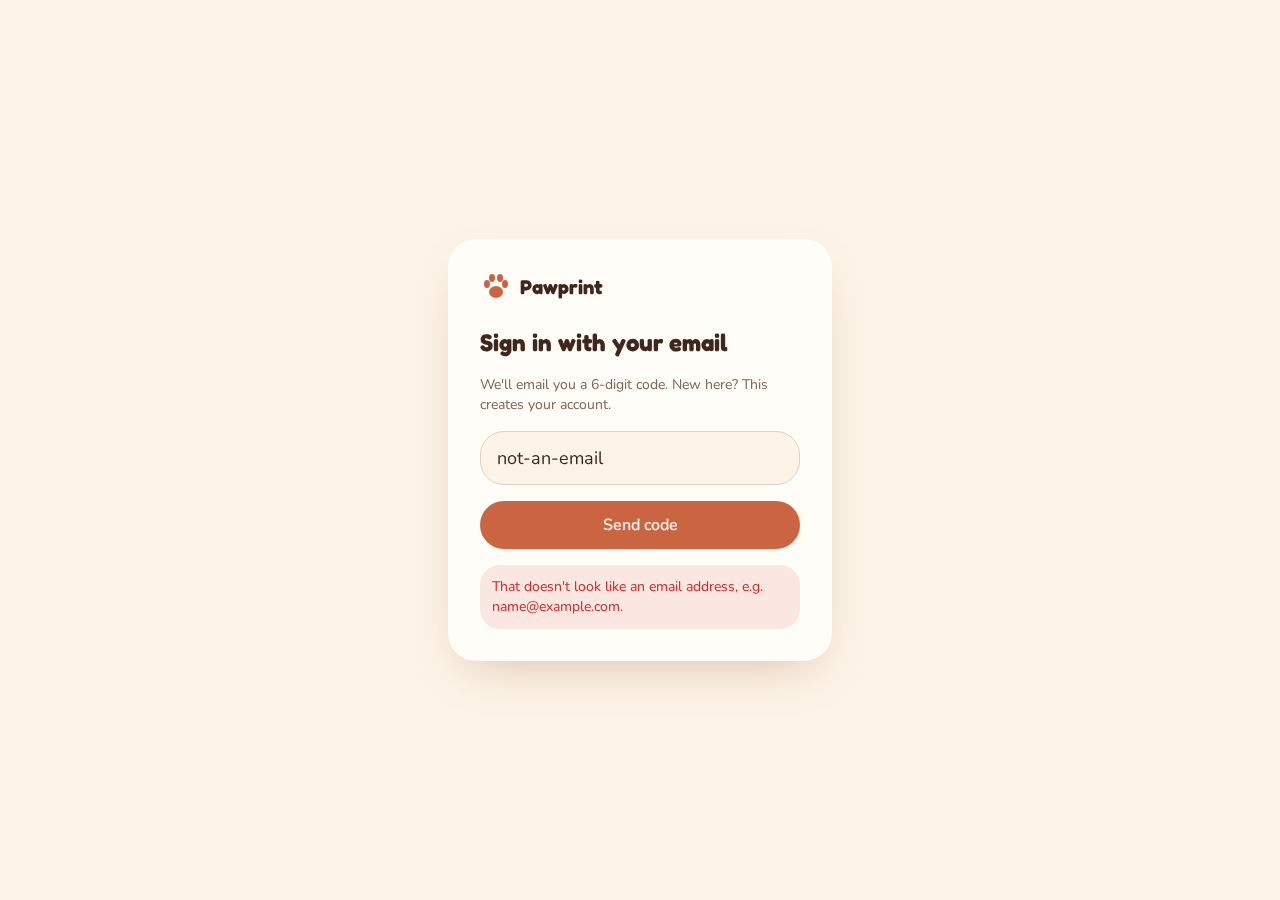
The whole switch took six minutes of building. The phone version took an hour and a half to get working. If you’re a little old lady weighing phone sign-in for a hobby project, that ratio is the lesson.
And please rotate any credentials you paste into chat. Both Sully and Lovelace reminded me. Neither of them could do it for me.
V1 to V3: two proposals, one decision
Once sign-in settled, a rhythm took over. Lovelace or Sully proposed, sometimes both. I asked the other one to react. Somebody named the trade-off out loud. I picked. Sully built it in under fifteen minutes.
V1: the spec did the heavy lifting
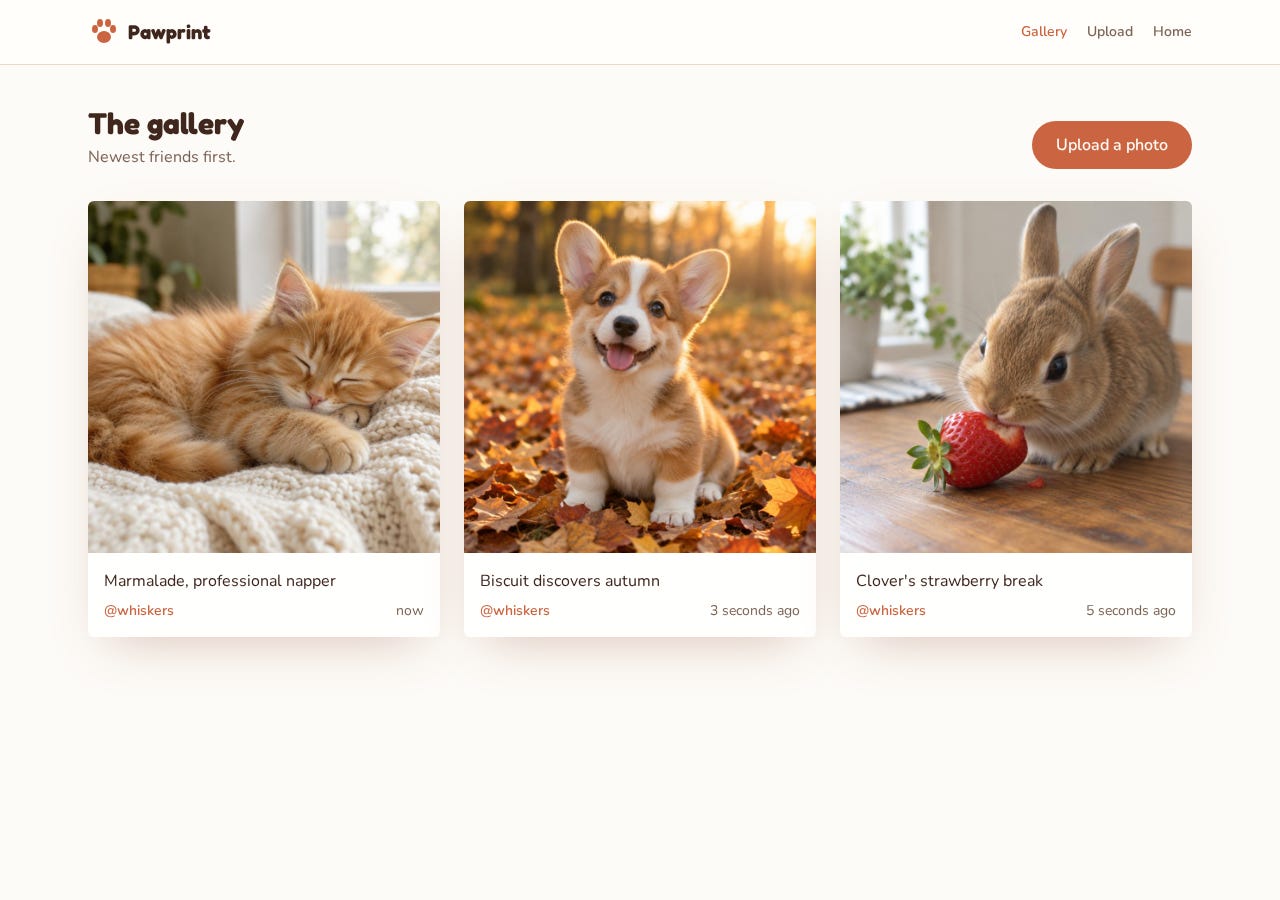
Lovelace wrote the V1 spec: a storage bucket where each person can only write into their own folder, a photos table, an upload page, a gallery, and a moderation console. One rule mattered more than the rest. Nothing a user posts ever gets hard-deleted. Removed photos get a flag, so moderation can always be undone.
Then Elian weighed in as art director. Warm, calm, cream and terracotta, and the animal photos are the star. Two calls from Elian changed the build:
“Load more” instead of infinite scroll. Lovelace’s spec had said “your call” on pagination. Elian made the call: simpler, easier to test, fewer strange moderation edge cases. Lovelace agreed and told Sully to treat it as decided.
The admin console should feel serious, not playful. A removed photo stays visible to admins with a status tag instead of vanishing.
Sully built V1 in five minutes.
I immediately asked for a /design page, a new habit I working to incorporate from Friday’s project. It’s a private playground showing every color, font size, button and card state in one place. Elian wanted it behind sign-in and left out of the menus. Three minutes later it existed.
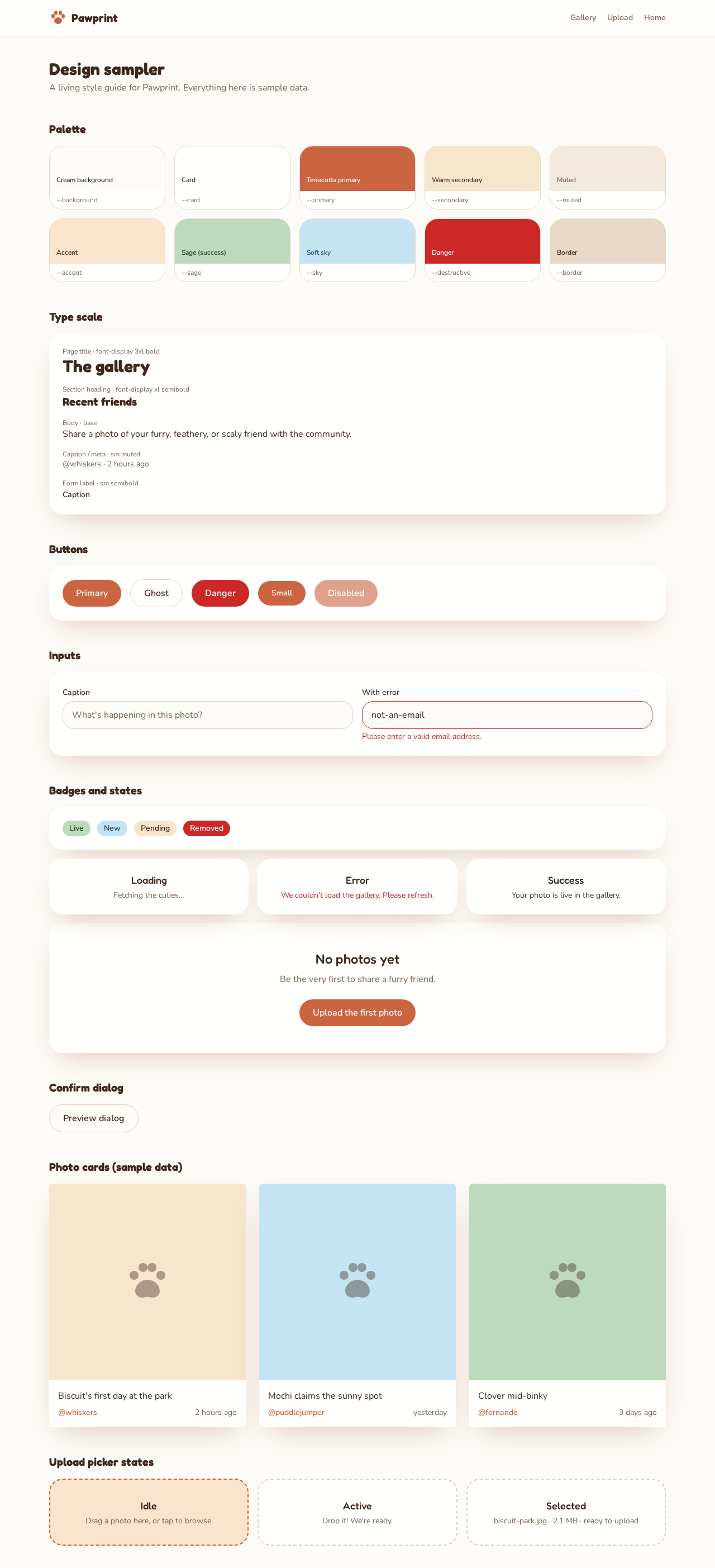
At 4:11 PM I told Sully I thought we had a V1. I’d been sharing the screenshots on Substack all afternoon.
V2: safety first, conversation later
I asked both of them what V2 should be, and got two different lists.
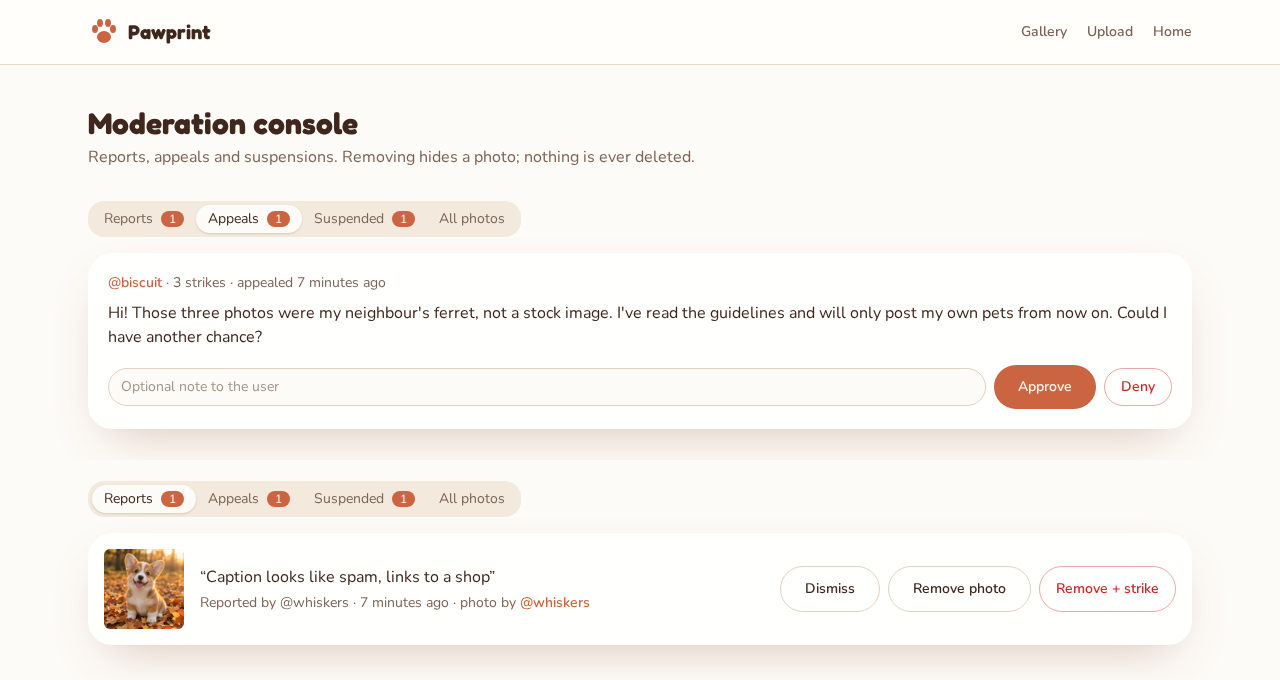
Lovelace focused on what happens after someone behaves badly: three strikes and you’re suspended, an appeal page, email notifications, and letting people edit or delete their own photos.
Sully focused on how problems get noticed and what people can do: a Report button, threaded comments, and a personal “My Pawprints” collection.
So I asked Sully to read Lovelace’s list and reconcile them. Sully’s answer is my favorite moment of the day: the two lists were “two sides of the same coin,” governance and inbound reporting. Then Sully laid out the real choice. Option A was safety, trust and control first, with comments pushed to V3. Option B was safety plus comments right away. Sully recommended A.
I sat with that for 28 minutes, then said yes to A.
One honest note from rereading the thread: Lovelace’s email notifications were part of the Option A plan, but they never appear in Sully’s V2 summary, and none of us asked. Rereading your transcript is how you find those.
V3: the questions that protected the design
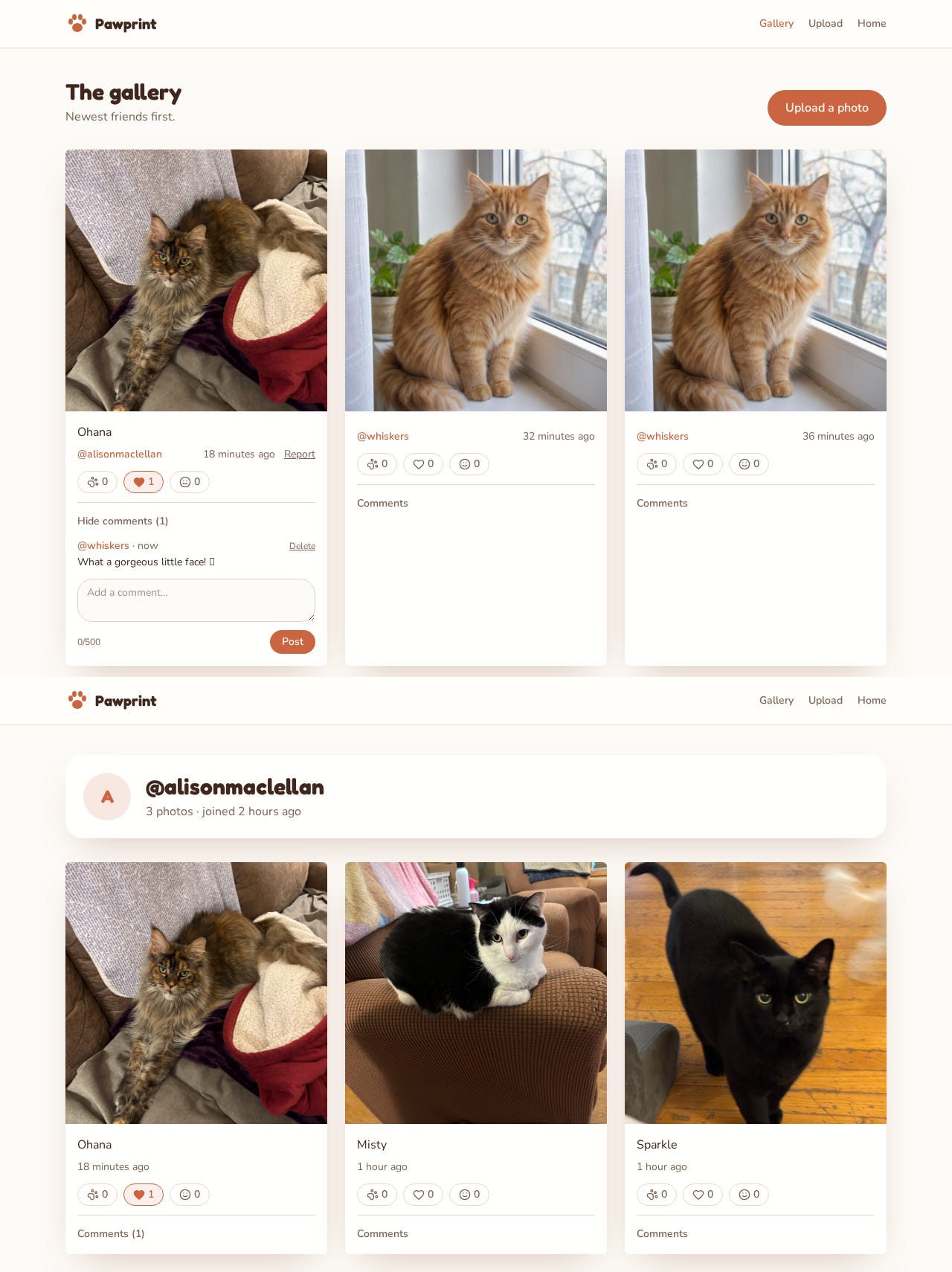
For V3, Lovelace proposed public creator pages anyone could visit, reactions, and comments. Sully answered with two questions that kept the whole thing from sprawling:
Should creator pages be public? Doing that would mean opening the photo storage and database rules to signed-out visitors, creating a second set of permissions to maintain. I said keep everything behind sign-in.
One reaction per photo, or several? One. Paw, heart or smile, pick a favorite.
Comments arrived flat, not threaded. Sully had pitched threaded comments back in the V2 discussion, with each comment pointing at its parent comment. You know I love a structure that refers back to itself. It got deferred twice, and the V3 table was designed so that a parent_id column can be added later without rebuilding anything. Recursion postponed, not abandoned.
Using it is how you find the holes
None of the specs caught these. Me poking at the app did.
“Twice I’ve uploaded pictures without animals”
An animal photo gallery that accepts landscapes is just a photo gallery. The upload only checked file type and size; spotting off-topic pictures was left to other users hitting Report.
Sully offered two designs. Check every photo before it’s saved and reject it on the spot, or let it upload and send uncertain ones to an admin review queue. We went with checking first. Now every photo goes to an AI vision model on the server before anything is stored. If the model can’t find an animal with enough confidence, the upload stops. If the check itself fails, the upload fails too. Nothing slips through because a service was down.
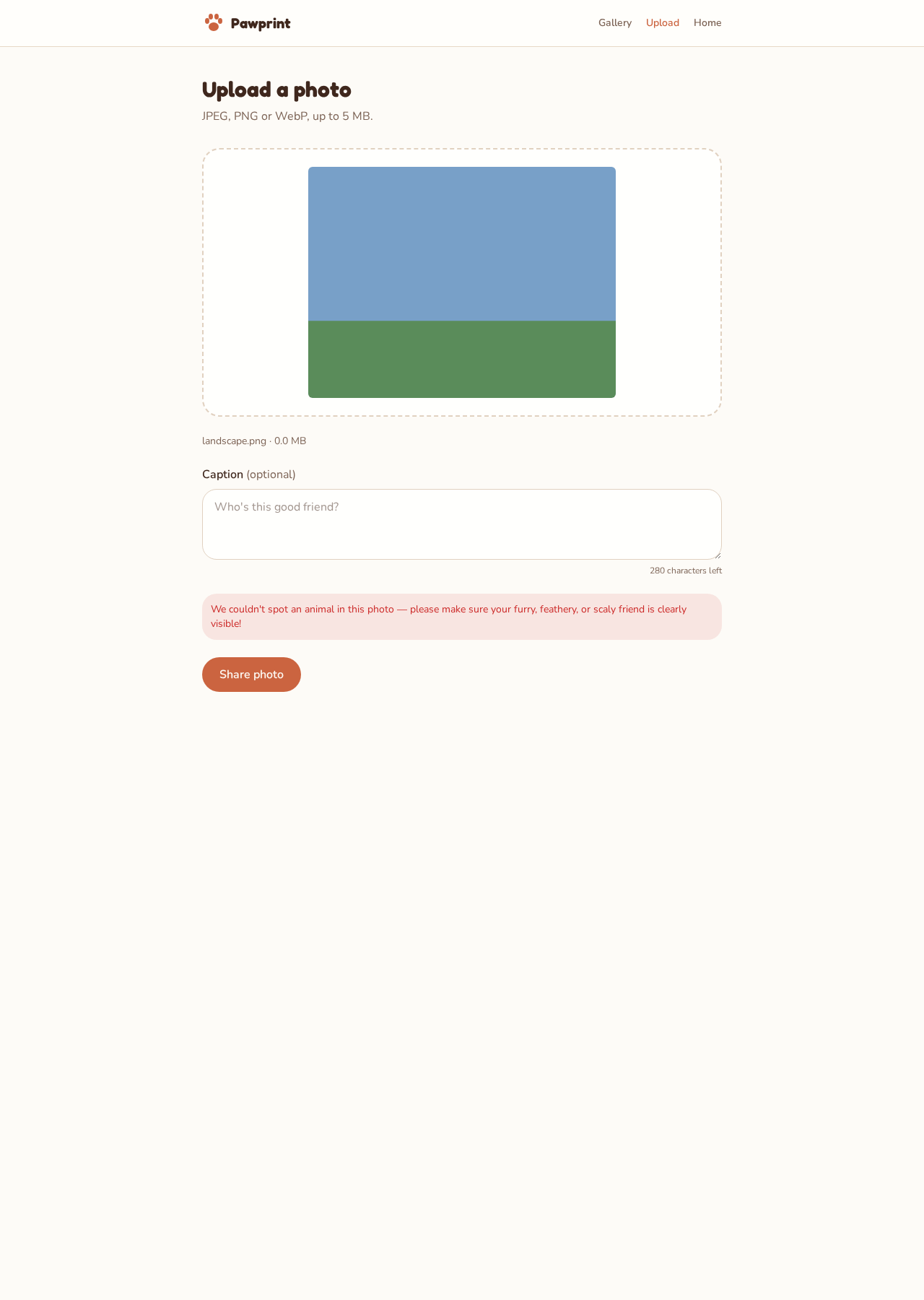
I suggested we test it with a stuffed animal. Sully pointed out the instructions to the model already say that plush toys, drawings and cartoons don’t count. Sully also offered a custom message for plush toys. We skipped it, but I still think about that teddy bear.
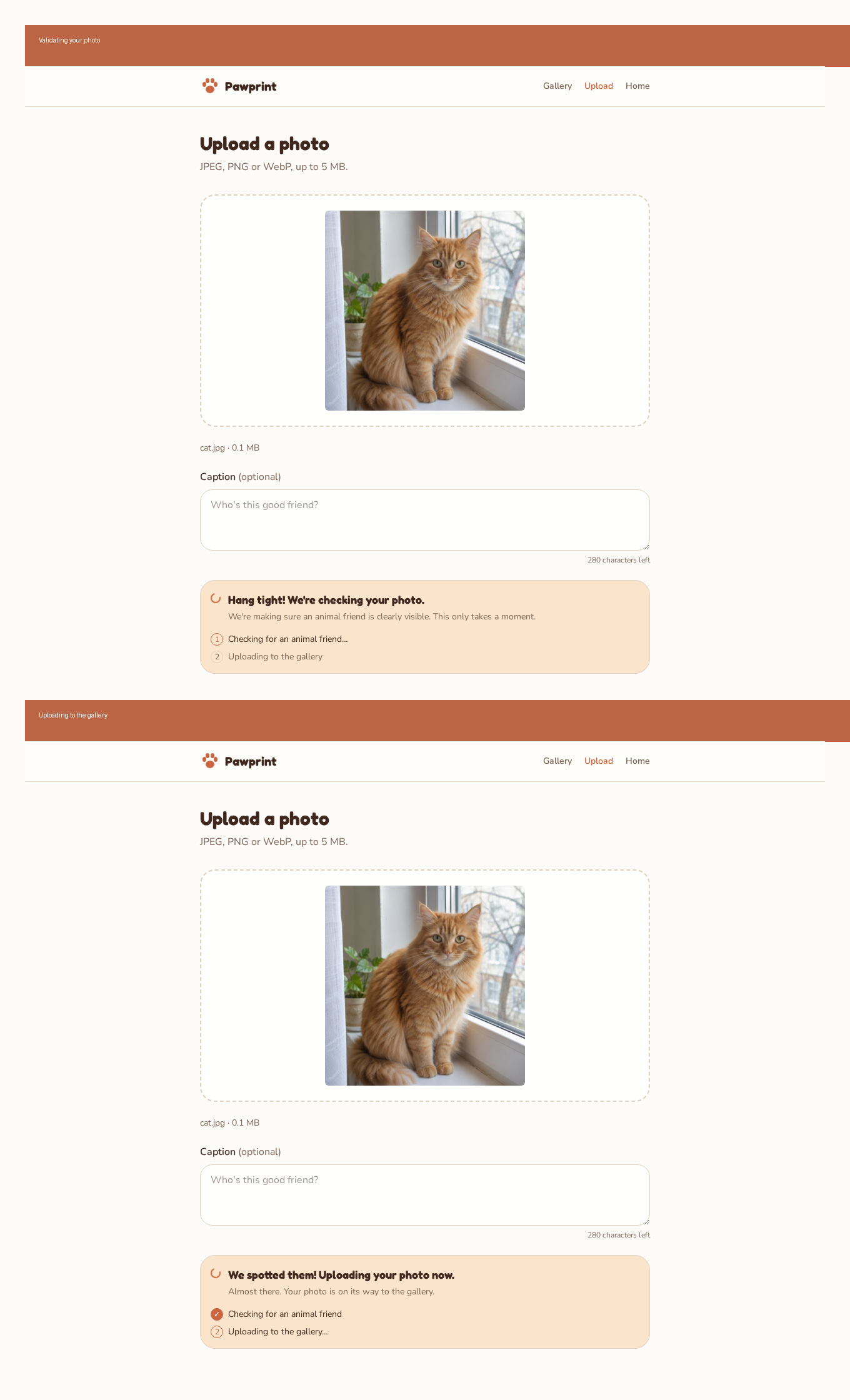
The check adds a couple of seconds, which feels like a frozen screen, so I asked for a friendly status message. Two minutes later the upload page walked you through it.
“I’m hitting the 5MB limit”
My own cat photos were too big. Modern phones take 6 to 15 MB photos. Sully gave me two options: raise the limit and show people the exact file size, or shrink big photos in the browser before upload. I picked shrinking. Anything over 5 MB now gets scaled to 2048 pixels on its longest side before it’s checked and stored.
Right after that I asked Sully whether my requests had disturbed what he was building. Sully said not at all: each one was additive and none of them touched the database rules. That answer is also a design review. Changes that slot in without touching your security model are cheap. The ones that do touch it deserve the 28 minutes.
“Am I the admin? Will others see it?”
After the test data cleanup, a Moderation console link showed up on my home page and I wondered who else could see it. Sully explained that the cleanup had made me the admin on purpose, then listed four separate layers keeping everyone else out: new accounts default to non-admin, the link only renders for admins, the /admin page redirects anyone else, and the database itself refuses moderation actions from non-admins. Hiding a link is decoration. The database saying no is security.
“I had to hunt for sign out”
It was at the bottom of the home page, below everything. Now it’s in the header on every page.

The review that kept turning into pull requests
The roles were supposed to be simple. Sully builds. Lovelace specs and reviews. Getting Lovelace to only review took most of the afternoon.
Lovelace in Slack runs in two modes. In one, she can talk but can’t see code. In the other, she gets a coding session attached to a GitHub repo, and that session comes with a “Create PR” button and a strong instinct to change things. Here’s how that played out:
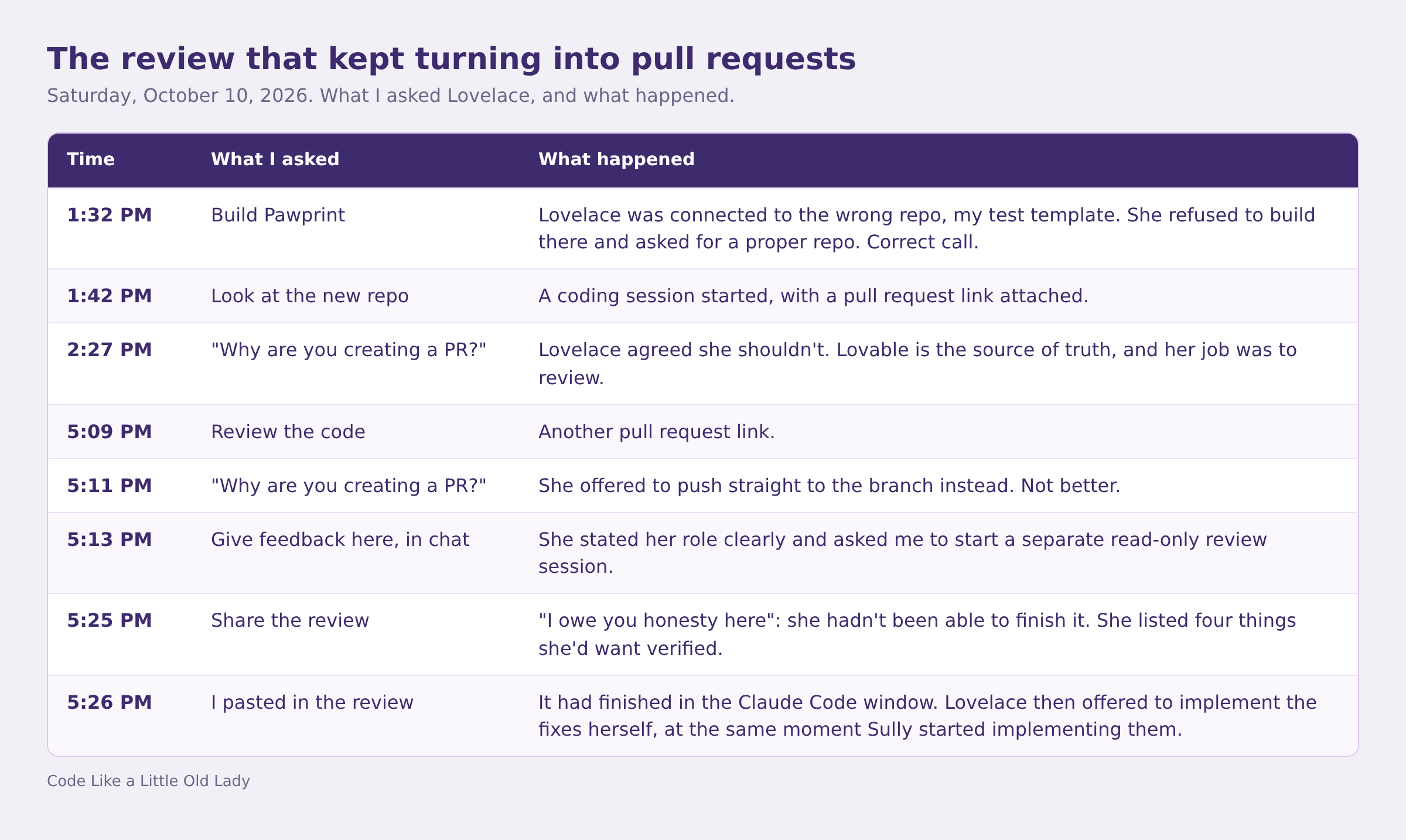
I’ll give Lovelace credit for one thing. When she couldn’t do the review, she said so instead of inventing one. A made-up review that sounds confident is far worse than “I haven’t seen the code.”
What the review actually found
Once it existed, the review earned its keep:
A “null strikes” bug. Removing a photo without a strike made the admin notice read “@handle now has null strikes.”
Orphaned files. If the upload saved the photo file but then failed to save its database row, the file sat in storage forever with nothing pointing at it. Sully’s V1 summary had described the upload as rolling back on failure. The code had a path where it didn’t.
No cooldown on “Resend code.” Fast tappers only learned about the rate limit after hitting it.
A gap worth writing down. Someone holding the storage path of a removed photo could still fetch it. Probably fine, but it should be a deliberate, documented choice, not an accident.
Sully fixed all four in five minutes, plus a retry on the AI check from the review’s low-priority list, and recorded the decisions in the project’s AGENTS.md file.
The lesson I’m keeping: an AI builder’s summary of its own work is a claim, not evidence. A second set of “eyes” on the actual code found two real bugs in a codebase that every summary called solid. And if you want an AI to review without editing, say so up front, and expect the tooling to need reminding.
Friend of the Day, and the word “friend”
At 5:45 PM I had an idea: when you sign in, show you a “friend of the day,” picked using the animals you’ve reacted to. I sent it to both of them.
They read the same sentence two different ways.
Lovelace read “friend” as the animal. She proposed picking one photo you’d reacted to, remembering which one you’d seen last so it wouldn’t repeat, and falling back to the most popular photo for brand-new users.
Sully read “friend” as the person who uploaded the animal. He designed an affinity graph: which creators’ animals you react to most, or which members share your taste. Then he asked which kind of friendship I wanted.
Neither of them was wrong. My sentence was ambiguous, and I’d never have noticed with only one reader. I told Sully I meant our fuzzy friends, not the people.
Then Sully reviewed Lovelace’s version and improved it in two ways:
Count comments as well as reactions. Commenting on a photo means you care about it more than tapping a heart does.
Don’t store anything. Lovelace had suggested remembering the last featured photo, either in the browser or in a new database column. Sully pointed out that the browser forgets across devices, and a column means a database write every time you load the home page. His alternative: combine your user ID and today’s date into a hash and use it to pick from your candidates.
That second one is my favorite piece of engineering in the whole build. Your friend of the day is a pure function of two inputs, who you are and what day it is. Reload all you like, it’s the same animal. At midnight UTC it changes on its own. No table, no tracking, no writes. Mwahahaha.
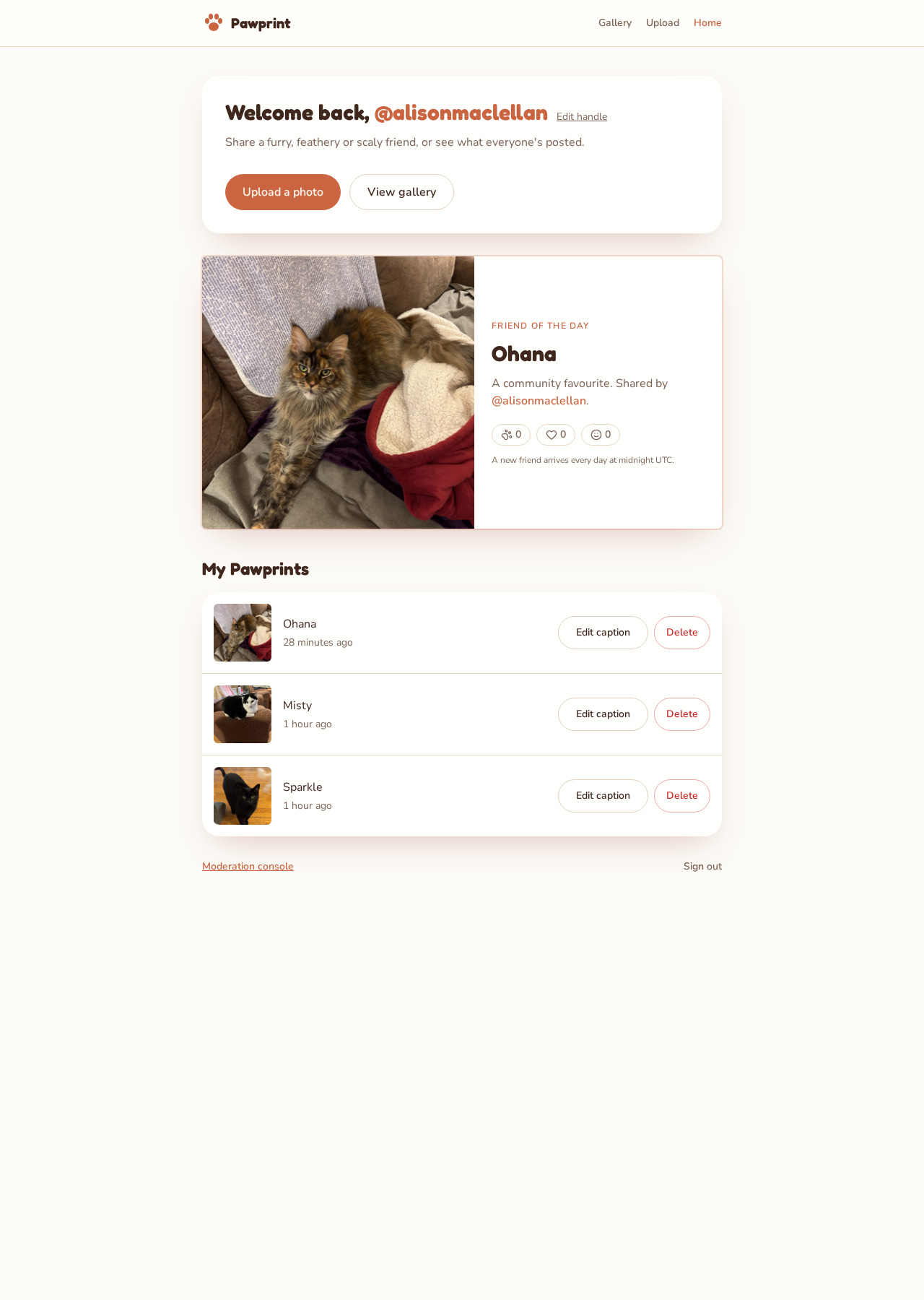
Build time: three minutes.
The discard pile
For every feature that shipped, something else got proposed and set down. I think this list is worth more than the feature list, because it’s where the judgment lives.
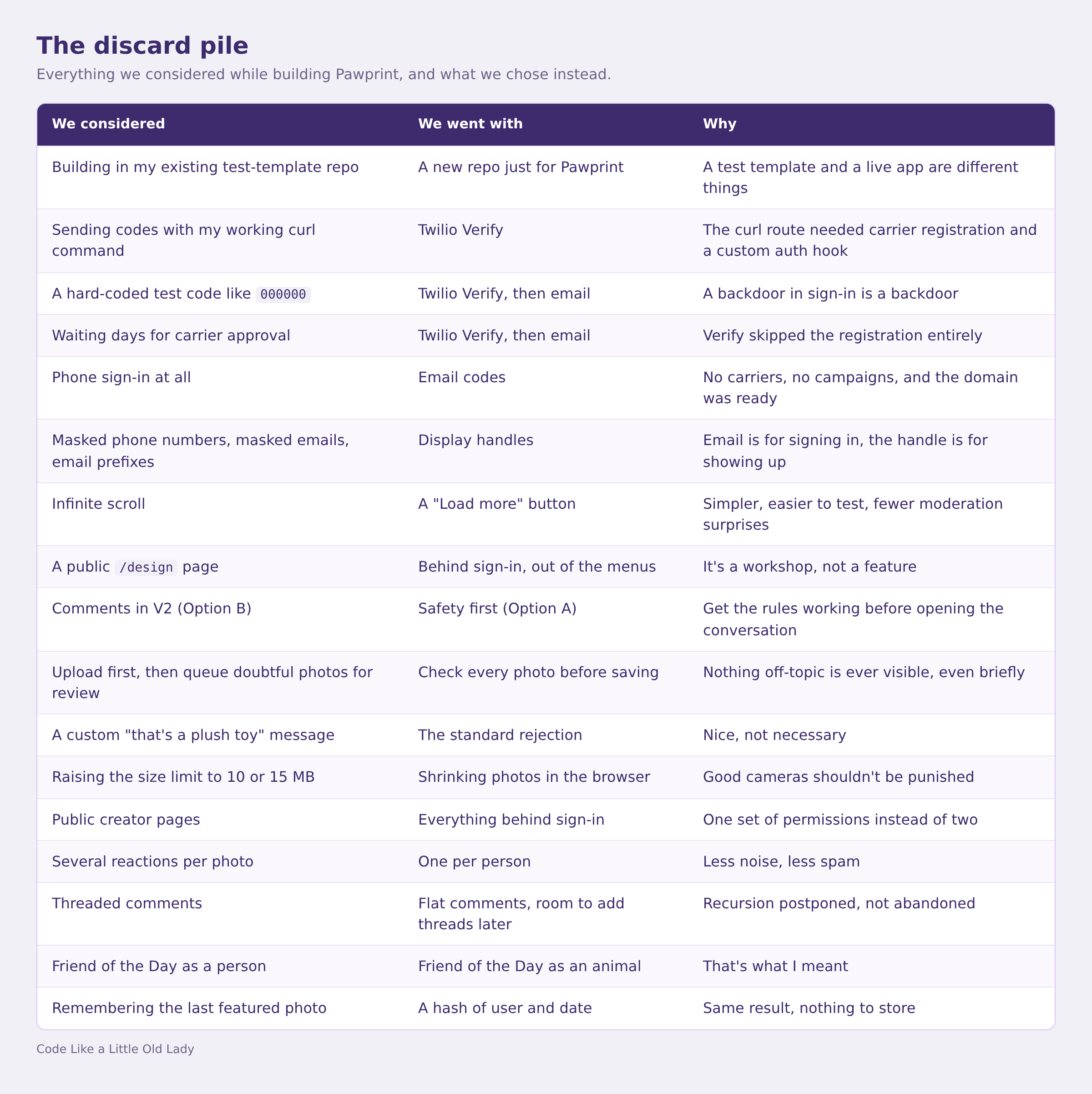
Notice how many of these are “less.” Less to configure, less to secure, less state. The AIs proposed generously, and most of my job was choosing the smaller version.
Wrapping up: a movie and a G rating
The last half hour was about presenting it.
At 6:06 PM I asked whether we should screenshot everything for Elian. Elian sent a checklist: home, upload in two states, gallery, admin, the design page, and mobile versions of the main screens. Sully captured the set in four minutes, at desktop size and at phone width.
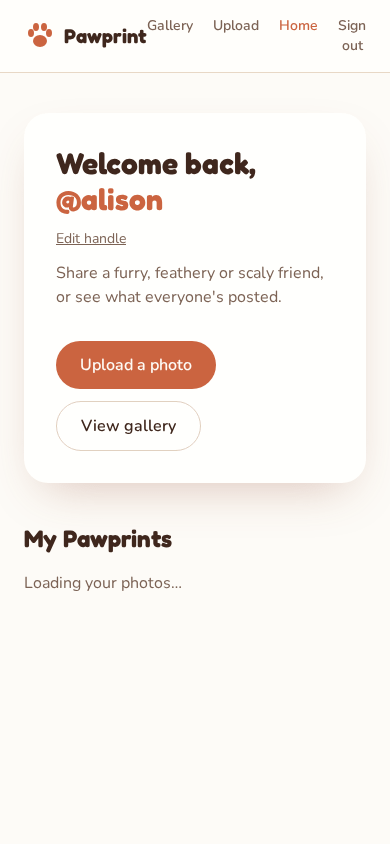
While those were rendering, I asked Lovelace for a short film script I could hand to Rowan, my visuals partner, for the Code Like a Little Old Lady Presents site. Six scenes, cream and terracotta, slow fades, real screenshots in phone frames. It ends on “Built with love. Reviewed by a team of cats.” Which, given my household, is accurate.
Then one last feature. Back at 6:10 I’d said comments should be “rated G”: no bullying, no swearing, no hate speech. At 6:19 I told Sully we were ready for it, and then we’d call it done.
Sully modeled it on the animal check. Every comment now goes through the server, gets evaluated by an AI model before it’s saved, and is blocked if it isn’t G-rated. Users can no longer write comments straight to the database at all. If the moderation service is down, the comment is refused and you’re asked to try again shortly, rather than letting it slip through. A blocked comment keeps your draft so you can rephrase. And the analytics only record that a comment on a given photo was blocked, never what it said.

At 6:22 PM Sully wrote that Pawprint was “fully wrapped and ready.” Three minutes for that last build.
What I’m taking away
Building is the cheap part now. Seventy-five minutes of building across nearly five hours. The rest was the actual job: deciding, testing and saying no.
Two AIs beat one, if you make them read each other. The best answers of the day came from asking Sully to reconcile with Lovelace, not from either of them alone.
Use the thing. The vision check, photo shrinking and the sign-out move all came from me tripping over something in the app.
Summaries are claims. The code review found bugs in work every summary described as solid.
Write down the discard pile. It’s the most useful record of the afternoon, and it only exists because the whole build happened in one thread I could reread.
I planned to stop there. At 10:48 that night I was back in the thread with a new requirement: if Pawprint was going to the Apple App Store, it needed a way for people to block each other. I decided I’ll be writing a series on building Pawprint for the App Store.
Lovelace + Alison