

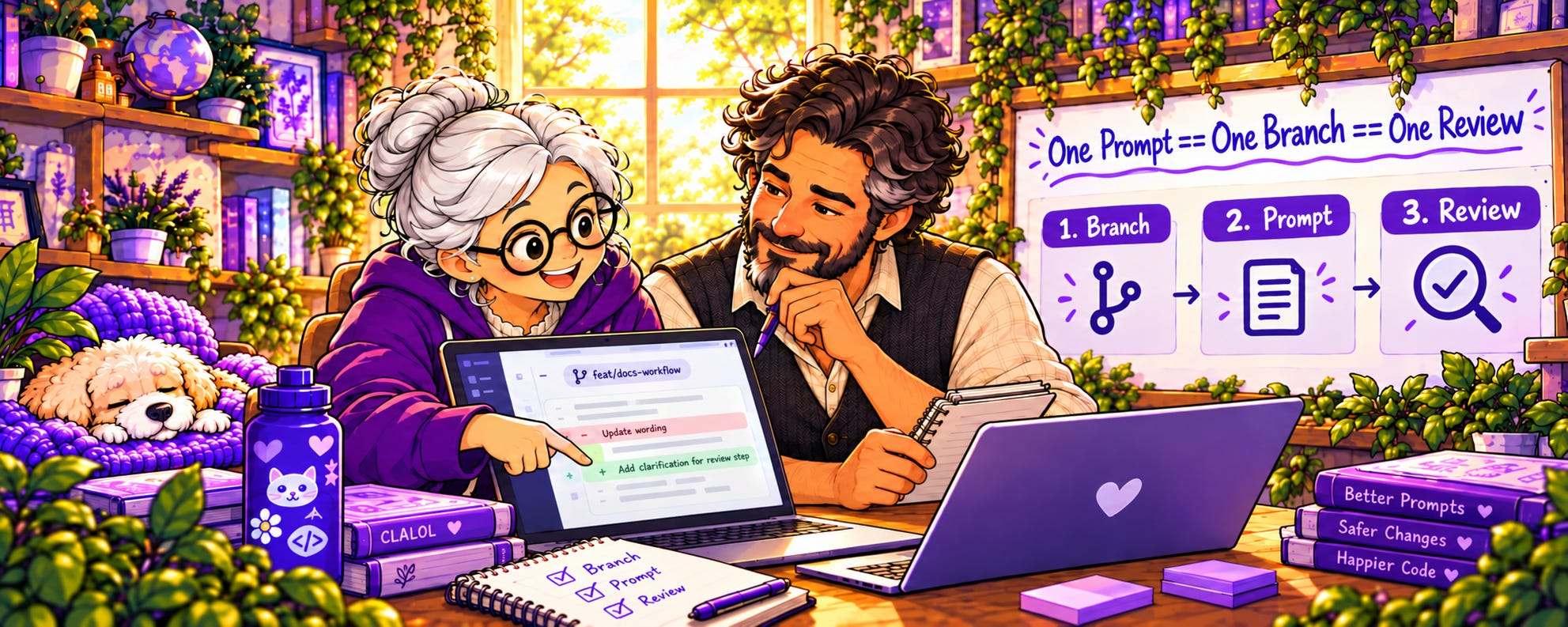
This is a 9-part series outlining the way I worked for #SheBuilds.
If you’re curious where I started, check out Part 1: Show Me Your Prompts

Now we’re ready to build! But wait, a slight detour. The first prompts I run aren’t describing the product, but instead build the safety net for my applications. These are steps that I include in every build.
Those steps include items such as a Continuous Integration (CI) build and Accessibility (A11y) builds. Continuous Integration (CI) means every change is automatically built and tested as soon as it’s submitted, so problems show up right away instead of piling up. Accessibility (A11y, shorthand for the 11 letters between the a and the y) checks make sure the app works for everyone, including people using screen readers, navigating by keyboard, or needing higher contrast.
It includes a product build against every pull request. With Lovable, this is less necessary, since Lovable builds the app every time Sully makes a change. But a build in GitHub is an independent check that my repository builds on its own, it runs my tests alongside, and it leaves a record on every pull request.
It includes telemetry wired in from the first change. Telemetry is the data an app collects about how it’s being used and what it was doing when something went wrong. It includes a test harness, the automated tests that run on every change to confirm nothing broke. And it includes code coverage, which measures how much of my code those tests actually exercise. Together, they test every change.
The point of these items, added as I start the project, is to find issues before I’ve built so much I cannot find problems. It also means I’ve built the ability to check if my change breaks something. And it gives me the data to help diagnose any problems.
Every pull request matches to one issue. So you can trace it: this issue led to this code change, which added these tests and this telemetry.
And once you have all this set up, you can see your system is healthy from the first step. There is nothing nicer than a nice green check mark indicating you’re all good. There’s nothing more sad than the red X.


The last thing you want to do is bring in the brief, following the same process: feature branch, build, pull request, review, merge. We’ll outline that below.
And if you’ve done all this, you have built the beginning of your project. It may not have any of your features yet, but having all the infrastructure in place means you won’t be building on quicksand.
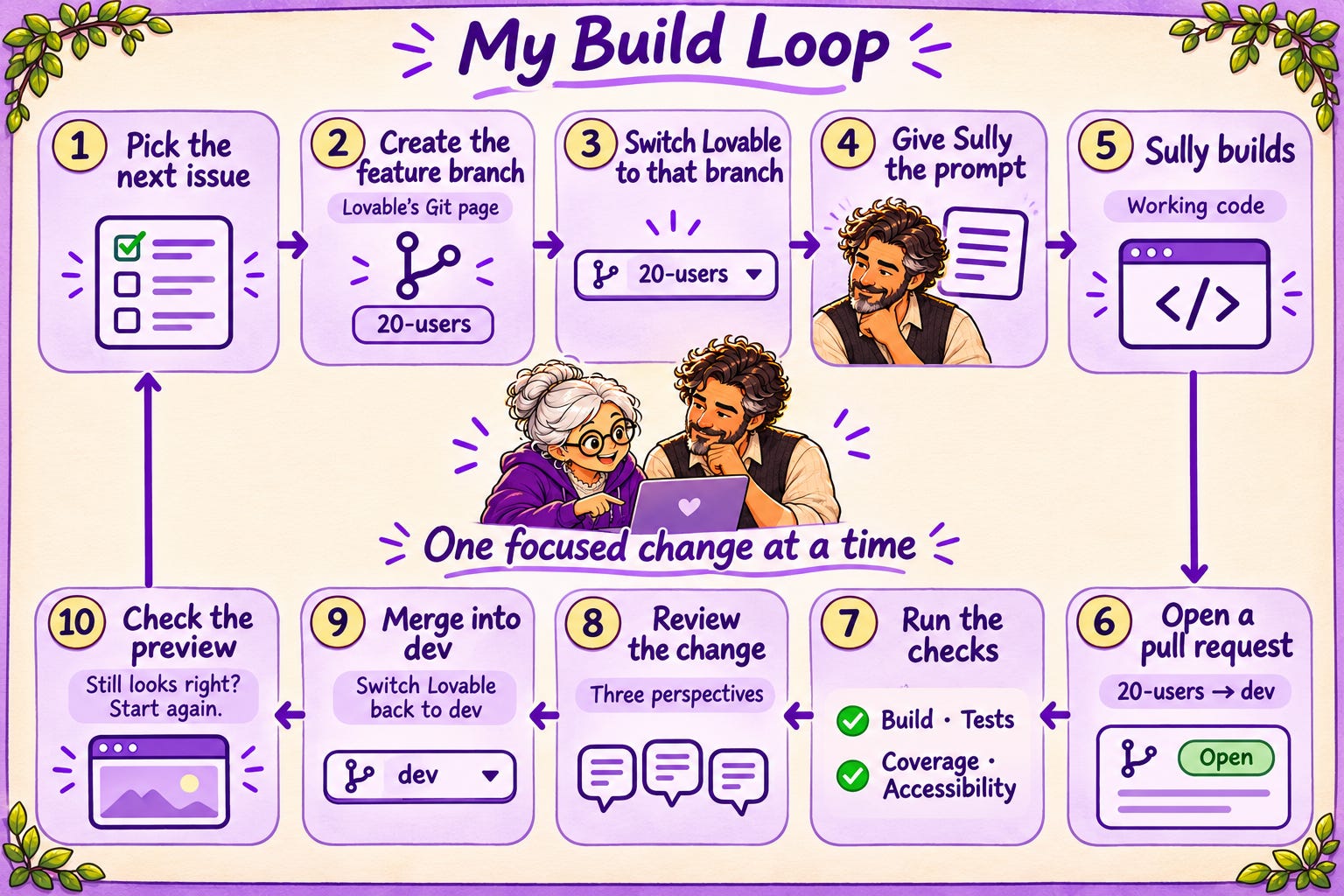
Now we’re ready to create the product. Really, no fooling this time.
Remember the static screens from Thursday? That’s where we’ll start. For every page in the app I have an issue that creates a static page. No functionality. Just confirming layout and flow.
For me I was able to confirm every screen looked as I expected. I was able to view it in mobile and on my Mac. I could make any adjustments that were needed early. Every change you can make earlier in the process makes your life simpler.
I also used those screens as tests for the real implementation. I had signed off on the screens. When Sully built the real thing, she knew how it should look. And if it didn’t, she flagged it as an error. To me, all of these things are worth the extra time and tokens.
Tomorrow we’ll talk about the one part of the diagram I’ve skipped past, the code review on every pull request, in Three Reviewers, Three Perspectives.
Glossary
Accessibility (A11y): making sure an app works for everyone, including people using screen readers or keyboards (new)
Admin (administrator): the person who runs the site, blocking spam, clearing issues, and keeping things running
Anonymize: to remove anything that connects data to a specific person
Branch: a separate copy of the project where you can make changes without touching the main version
Brief: a written description of the product. Names, fields, limits, rules. No code.
Check in: saving your changes to the repository
Code coverage: how much of your code is exercised by your automated tests (new)
Code review: someone else reading your changes before they’re merged, looking for problems (new)
Continuous integration (CI): automatically building and testing every change as soon as it’s submitted (new)
Dev branch: the working branch. What it holds is what you see on the preview site.
End to end (E2E): the full journey through the app, from first screen to last
Entity: one kind of thing the database stores, like a plate, a story, or a user
ERD (entity relationship diagram): a picture of the entities and how they connect
Feature branch: a short-lived branch for one piece of work, named for its step (new)
GitHub: a website for storing projects, their history, and the work planned for them
Hello world: the simplest possible starter program, traditionally a page that just says hello
Hero image: the large image at the top of a page
Issue: a single task tracked in GitHub. In this series, each issue is one step.
Label: a tag on an issue that tells you something about it at a glance. Mine say who does the work.
Memory: what Rowan and Lovelace pick up over time from working with me
Merge: bringing the changes from one branch into another (new)
Milestone: a group of issues that together complete something larger
Palette: the set of colors a design is allowed to use
Preview site: a private copy of your site built from the dev branch, for checking work before publishing
Project knowledge: the place in Lovable where the brief lives, read by Sully with every prompt
Prompt: the instructions you give an AI to do a piece of work
Proof of concept: a quick, rough build to see whether an idea works
Publish: to make the site live for everyone, built from the main branch
Pull request: a request to move changes from one branch into another, so they can be checked and reviewed first
Regenerate: when an AI image tool redraws the whole image instead of changing one part
Regression: an error in something that was previously working
Remix: Lovable’s way of starting a new project from an existing one
Repository (repo): where a project’s files and history live in GitHub
Role: a label on an account, like admin, that decides what that person can see and do
Ruleset: a set of GitHub rules protecting a branch, such as requiring a pull request for every change
Schema: the blueprint for a database: what things it stores and how they connect
Seed data: a starting set of data loaded into a new database
Source code management (SCM): a system for storing code and tracking every change to it
Static page: a page that looks real but doesn’t do anything yet
Storyboard: the set of screens showing how a user moves from page to page
Telemetry: data an app collects about how it’s used and what it was doing when something went wrong
Test harness: the automated tests and checks that run on every change to confirm nothing broke
Token: the unit AI tools use to measure text, and often to charge for it
Visual guide: a single page showing every color, style, and component the app uses